Home › Vacancy, turnover & leasing tracker
Leasing & turnoversRental vacancy, turnover & leasing tracker (US & Canada)
What does a vacancy really cost you? Log every turnover from move-out to the next move-in, and this workbook works out how long the unit sat empty, the rent you lost, what the turnover cost in cleaning, paint, repairs, ads and fees, and how long the new rent takes to pay it back. Log every inquiry too, and see which listing sites actually rent your units. A rental vacancy, turnover and leasing tracker for landlords in the US and Canada, in Excel and Google Sheets. Built for up to 200 turnovers and 1,000 leads, with 12 listing sources you can rename (Kijiji, Facebook Marketplace, Rentals.ca, Zillow, Apartments.com, Craigslist, a sign, referrals …). Any currency label.
Instant digital download (.xlsx). No macros, no subscription.
Included in both complete bundles: get this spreadsheet plus 16 more in the Complete Landlord Bundle (US) (CA$79.99, save about 72%) or the Canadian Landlord Bundle (T776) (CA$81.99, save about 71%).
Save with the bundle: get this spreadsheet plus 3 more in the Leasing & Rent Setting Bundle (CA$34.99, save about 41%).
What you get
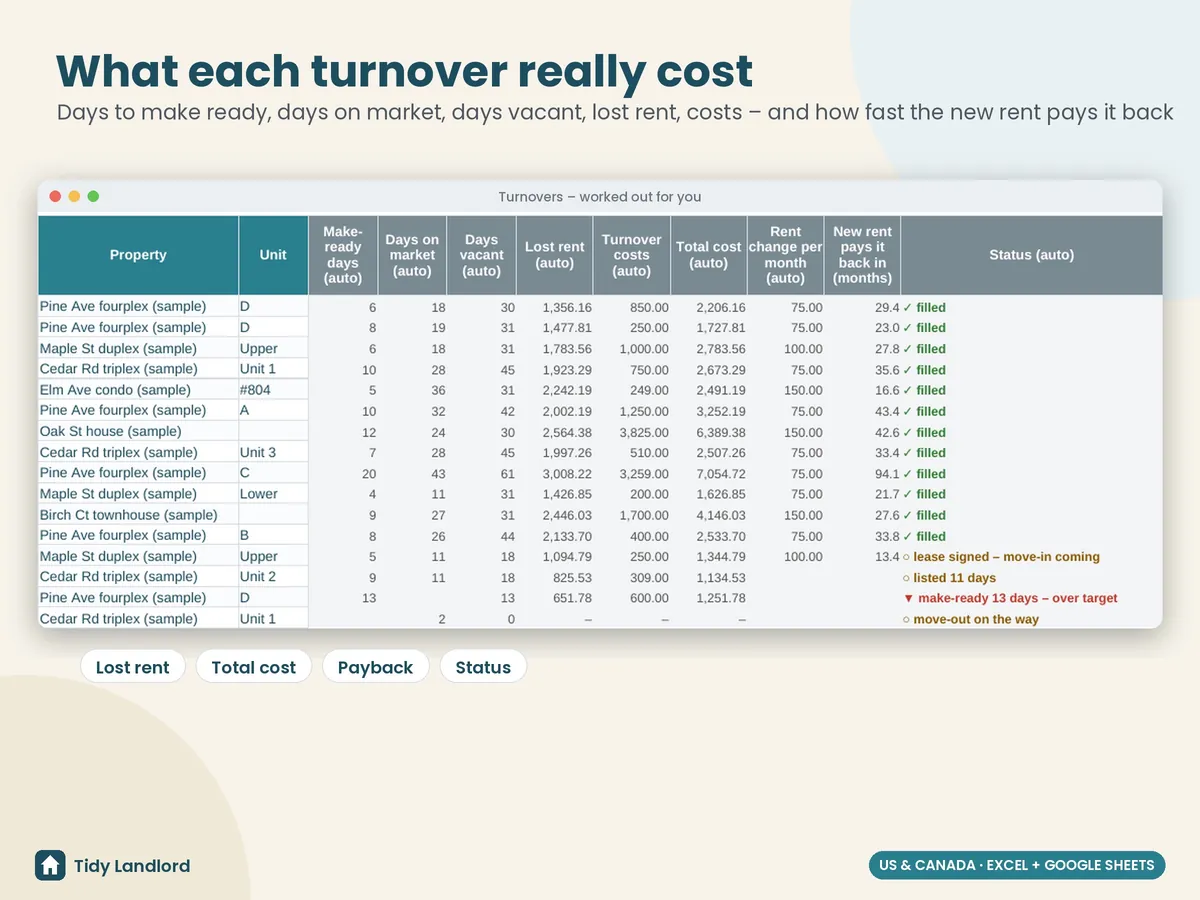
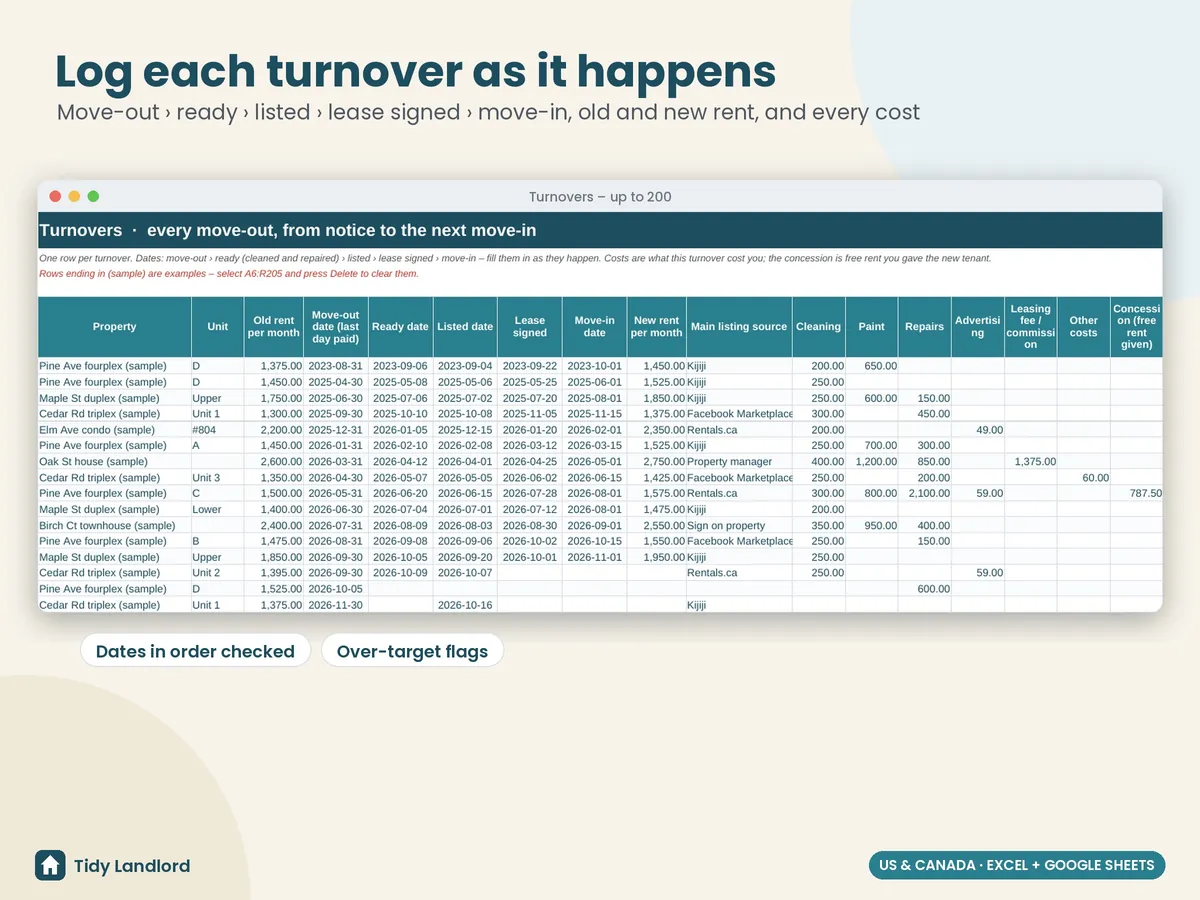
- Turnovers, one row per move-out: property and unit, the old rent, the dates as they happen (move-out, ready, listed, lease signed, move-in), the new rent, the main listing source, and the costs (cleaning, paint, repairs, advertising, leasing fee, other) plus any free rent you gave. Make-ready days, days on market, days vacant, lost rent, turnover costs, total cost, the rent change and the payback in months are worked out for you, with a status: make-ready or listed too long (over your target), ready but not listed, lease signed – move-in coming, filled, or move-out on the way
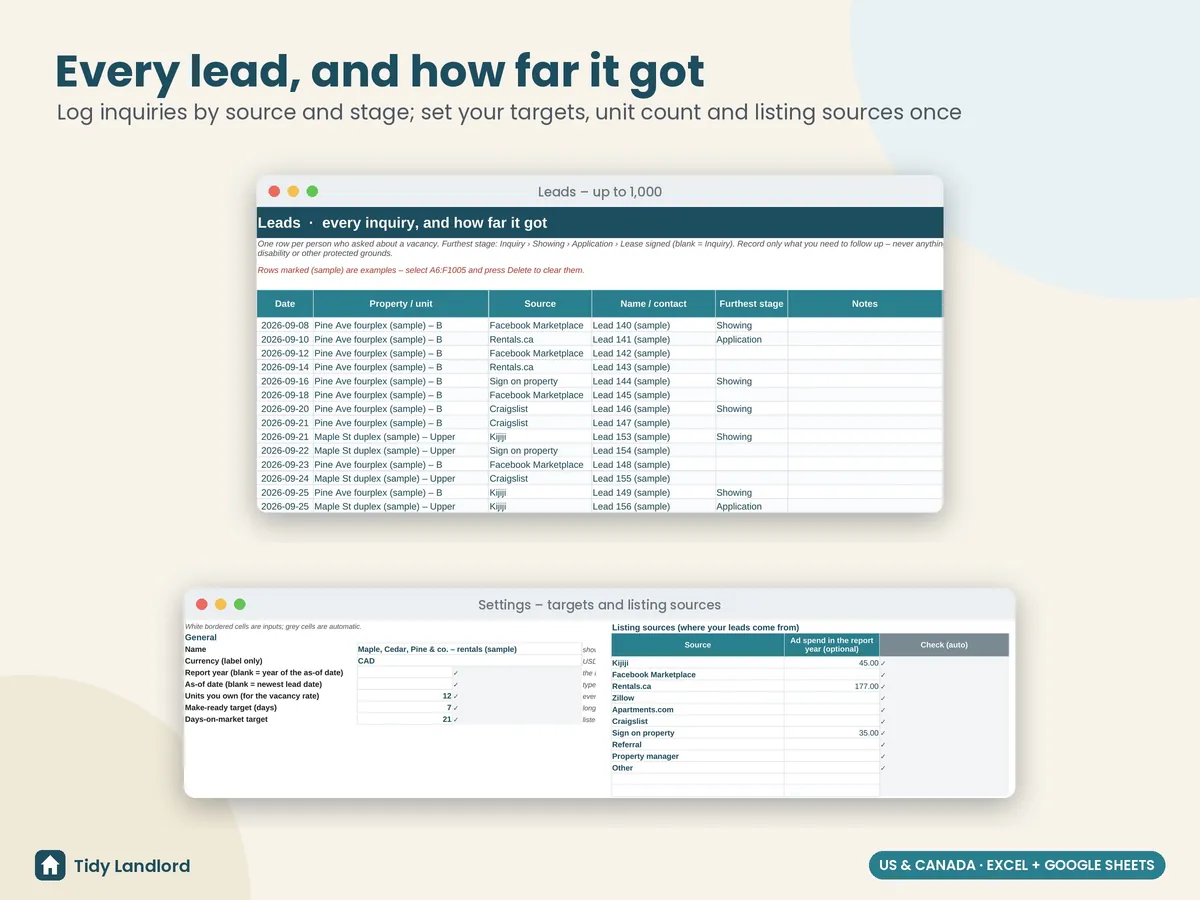
- Leads, one row per inquiry: date, unit, source and the furthest stage it reached (Inquiry, Showing, Application, Lease signed)
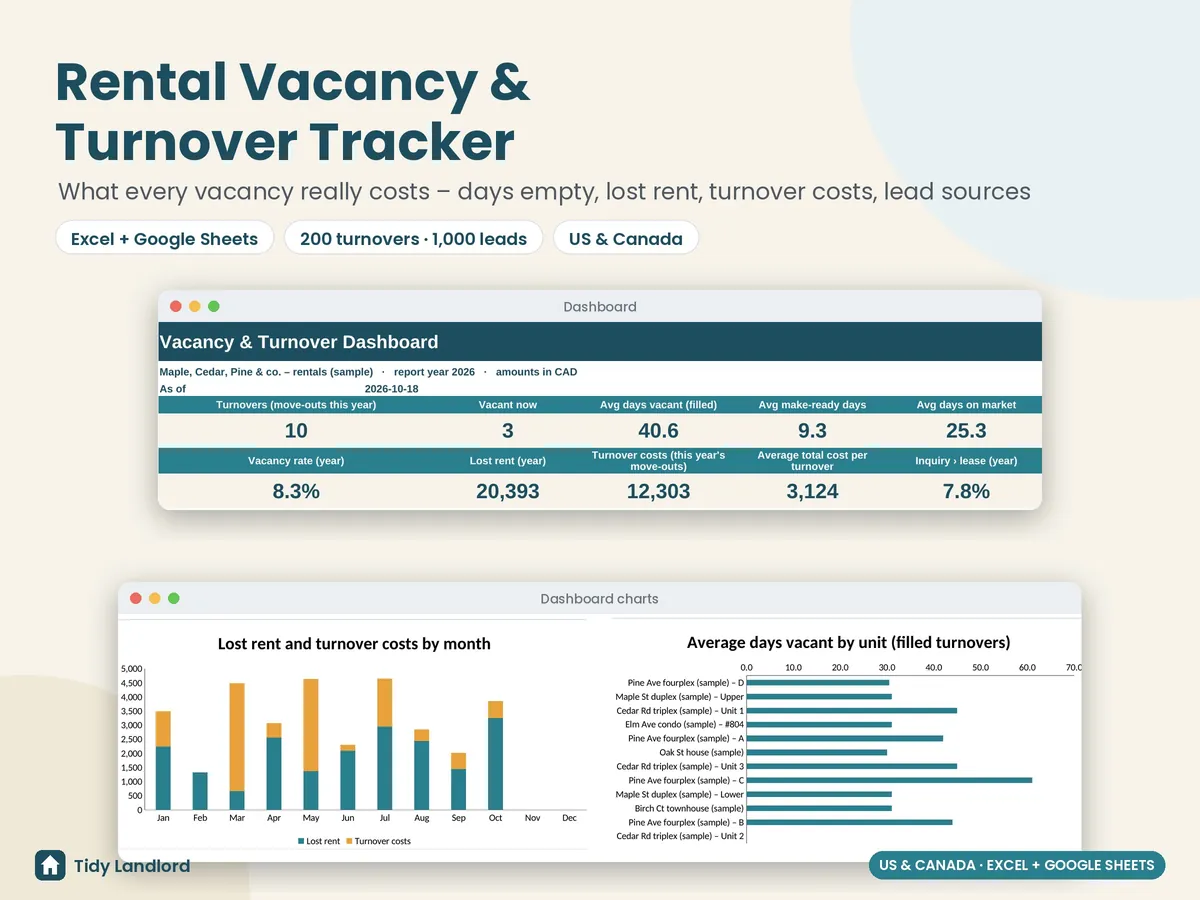
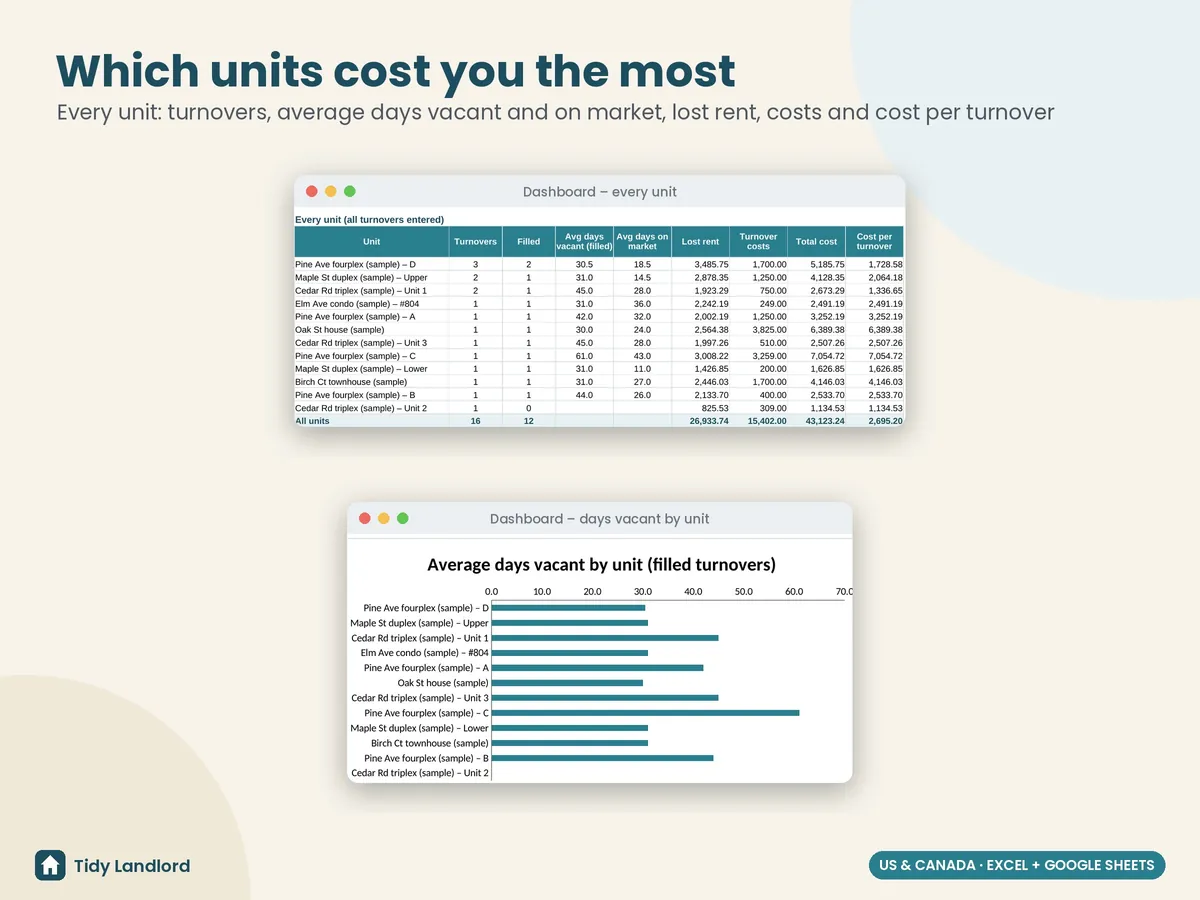
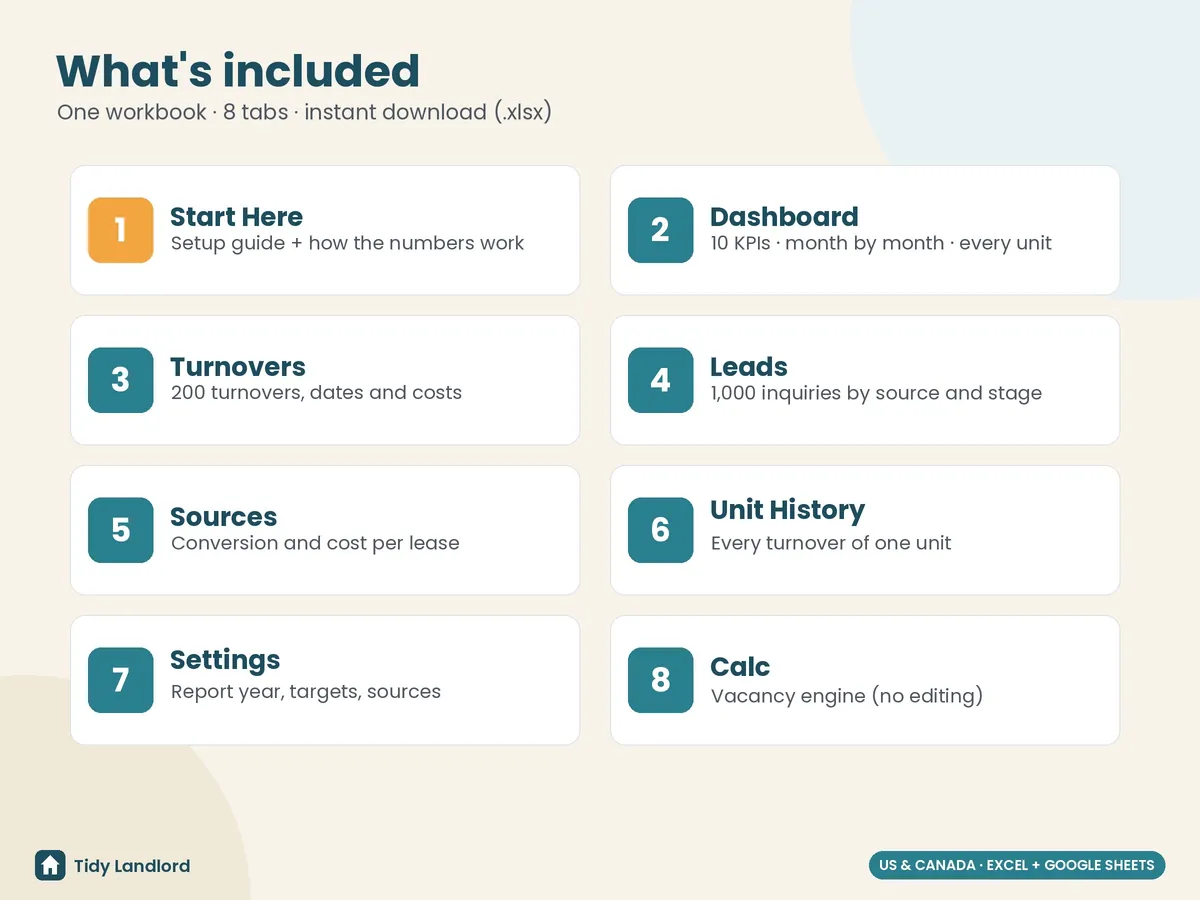
- A dashboard with turnovers this year, vacant now, average days vacant, average make-ready days, average days on market, your vacancy rate, lost rent, turnover costs, average cost per turnover and inquiry-to-lease rate; a month-by-month table (move-outs, move-ins, vacant days, lost rent, costs, leads, leases) and a table of every unit, with two charts
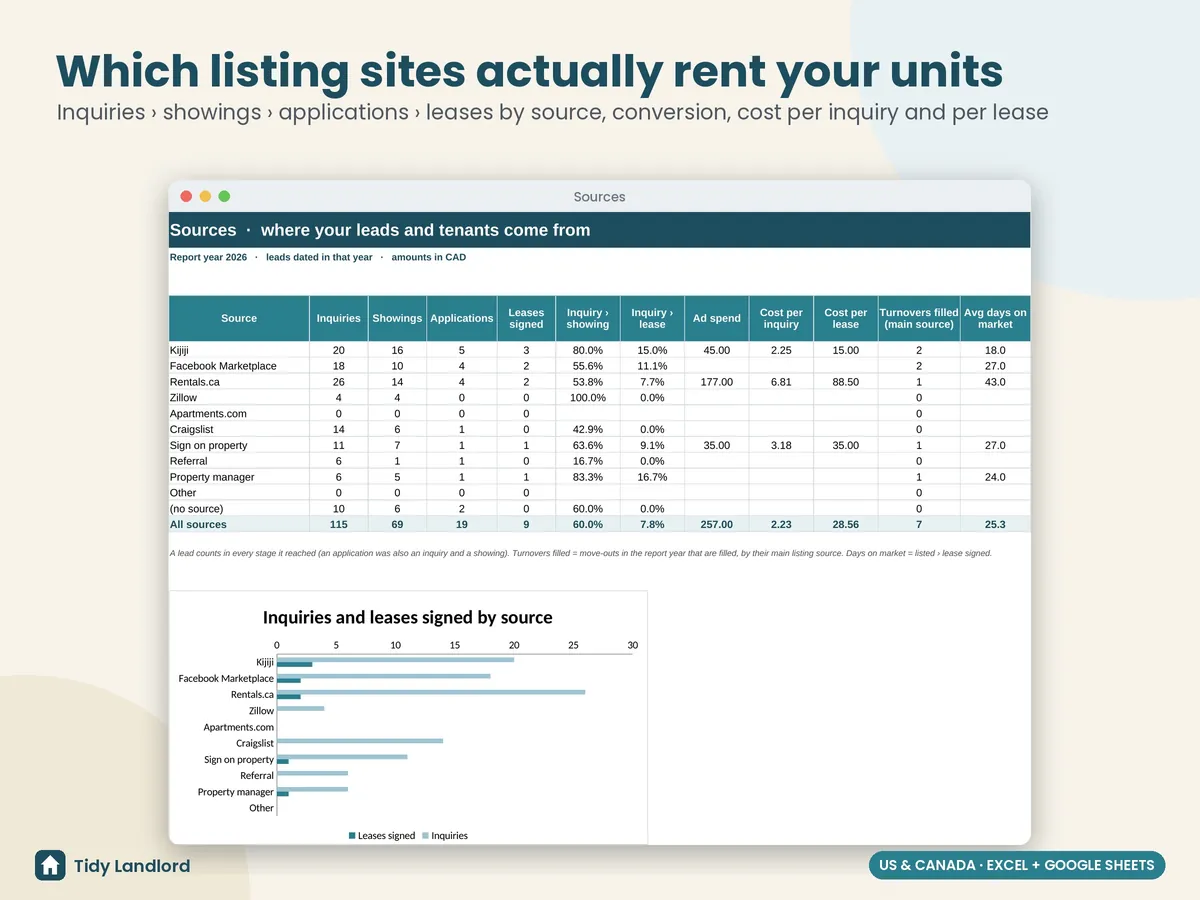
- Sources: inquiries, showings, applications and leases for every listing source, the conversion rates, ad spend, cost per inquiry, cost per lease, turnovers filled and average days on market, so you know where to spend your listing budget
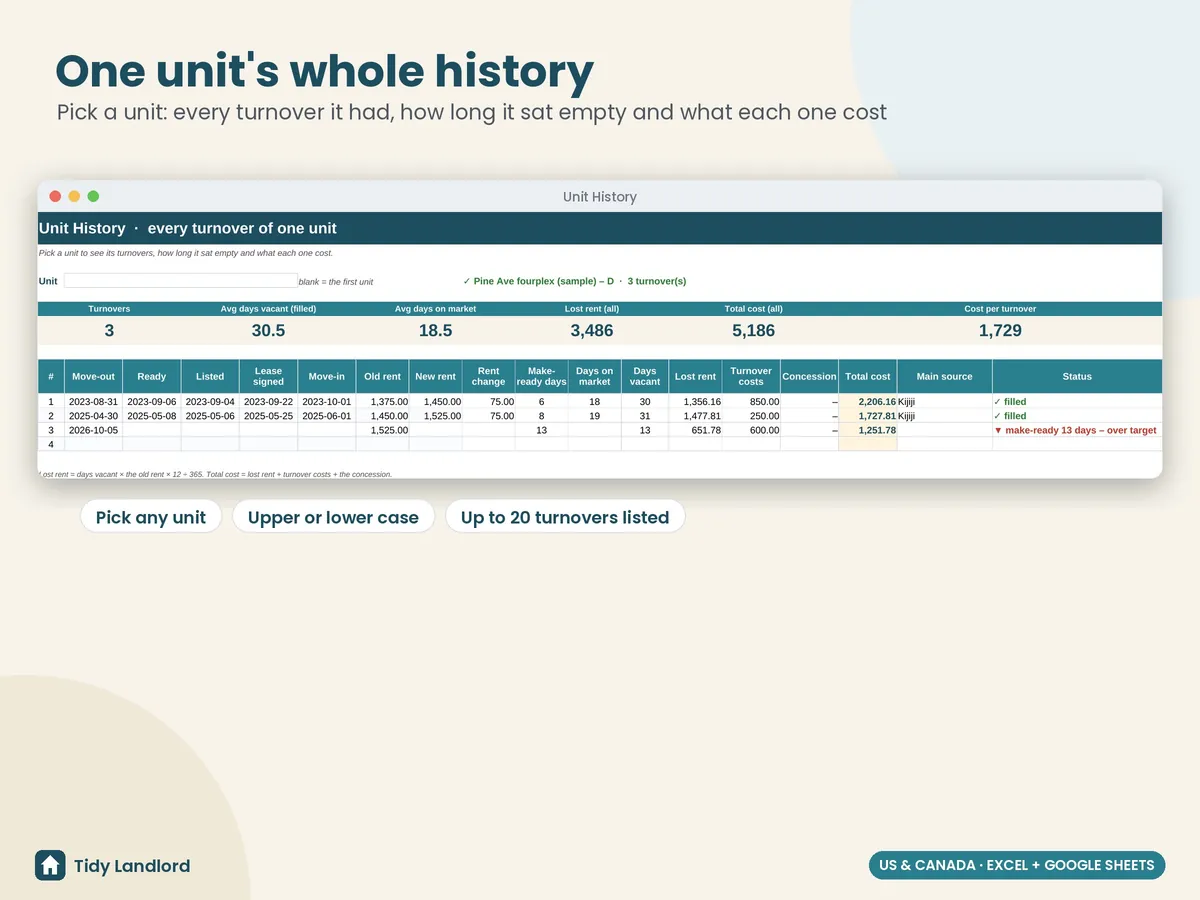
- Unit history: pick a unit and see every turnover it had, how long it sat empty and what each one cost
- Settings for the report year, an as-of date, how many units you own (for the vacancy rate), your make-ready and days-on-market targets, and your listing sources with optional ad spend
- Check columns that flag missing dates and rents, dates out of order, unknown sources and stages, text in cost cells and duplicate turnovers; the dashboard counts them for you
- A Start Here guide in plain English, with how every number is worked out, to set up in about 10–15 minutes
Details
- How the numbers work: days vacant = the days with no rent coming in, from the day after the move-out date (the last day the old tenant paid for) to the day before the move-in (out on the 31st and in on the 1st is 0 days); lost rent = days vacant × the old rent × 12 ÷ 365; total cost = lost rent + turnover costs + free rent given; payback = total cost ÷ the rent increase per month; vacancy rate = vacant unit-days in the report year ÷ (units × days in the year). Open turnovers count up to the as-of date you type (blank = the newest date you entered), so nothing changes on its own
- Up to 200 turnovers, 1,000 leads and 12 listing sources; any currency label
- Long-term rentals; one row per turnover and per lead
- Excel 2010+ and Google Sheets, no macros, no add-ons, no subscription
- Tested formula by formula against an independent model (report years, typed as-of dates, a vacancy across New Year, more than 20 turnovers for one unit, mixed-case sources and stages, cleared data and edge cases), in LibreOffice and live in Google Sheets
Screenshots
How it works
- Buy on Etsy and download the .xlsx file.
- Open it in Excel, or upload it to Google Drive and choose File → Save as Google Sheets.
- Delete the clearly marked sample rows, set your units, targets and sources, then add each turnover and lead as it happens.
Free guide: Tenant screening checklist
This is a record-keeping and estimating tool, not legal, financial or tax advice. Lost rent is an estimate at the old rent. Fair-housing and human-rights laws apply to how you advertise, screen and choose tenants: treat every lead the same way and never record anything about a person's protected characteristics (age, family status, religion, origin, disability and so on). Rules on notice, deposits, showings and rent increases differ by state, province and city, so please check the rules where your rental is. It was designed with the help of AI tools, then reviewed and tested before release.