Home › Utility bill split & RUBS calculator
Multi-unit & house hacksLandlord utility bill split & RUBS calculator (US & Canada)
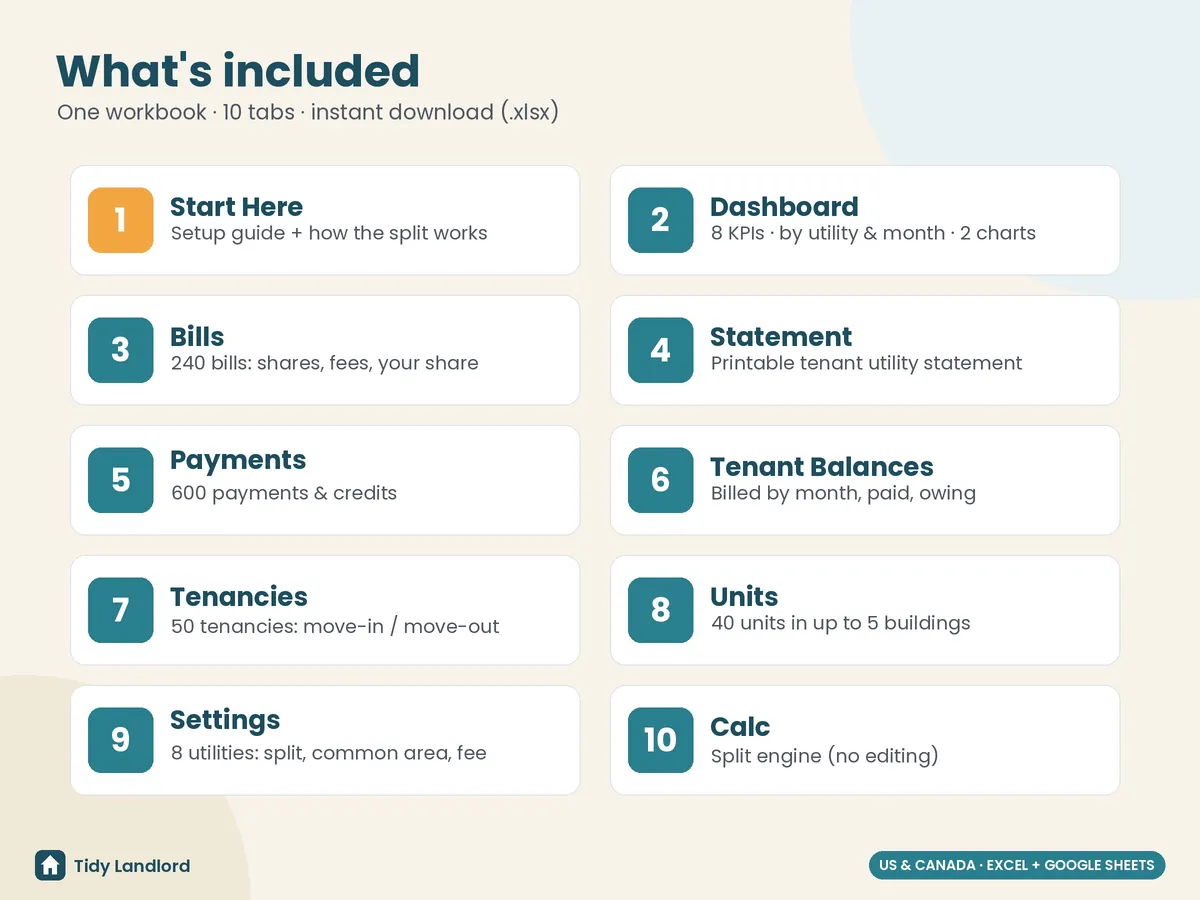
Split shared utility bills between your tenants, fairly, by the day. A landlord utility bill split and RUBS (ratio utility billing) calculator for duplexes, triplexes, small apartment buildings, rooming houses and house hacks in the US and Canada, in Excel and Google Sheets. Enter each water, gas, heat, electric, trash or internet bill once. You get every tenant's share, a utility statement to send them, and a running balance of who has paid. Built for up to 5 buildings, 40 units, 50 tenancies, 240 bills and 600 payments, with 8 utilities you can set up any way you like.
Instant digital download (.xlsx). No macros, no subscription.
What you get
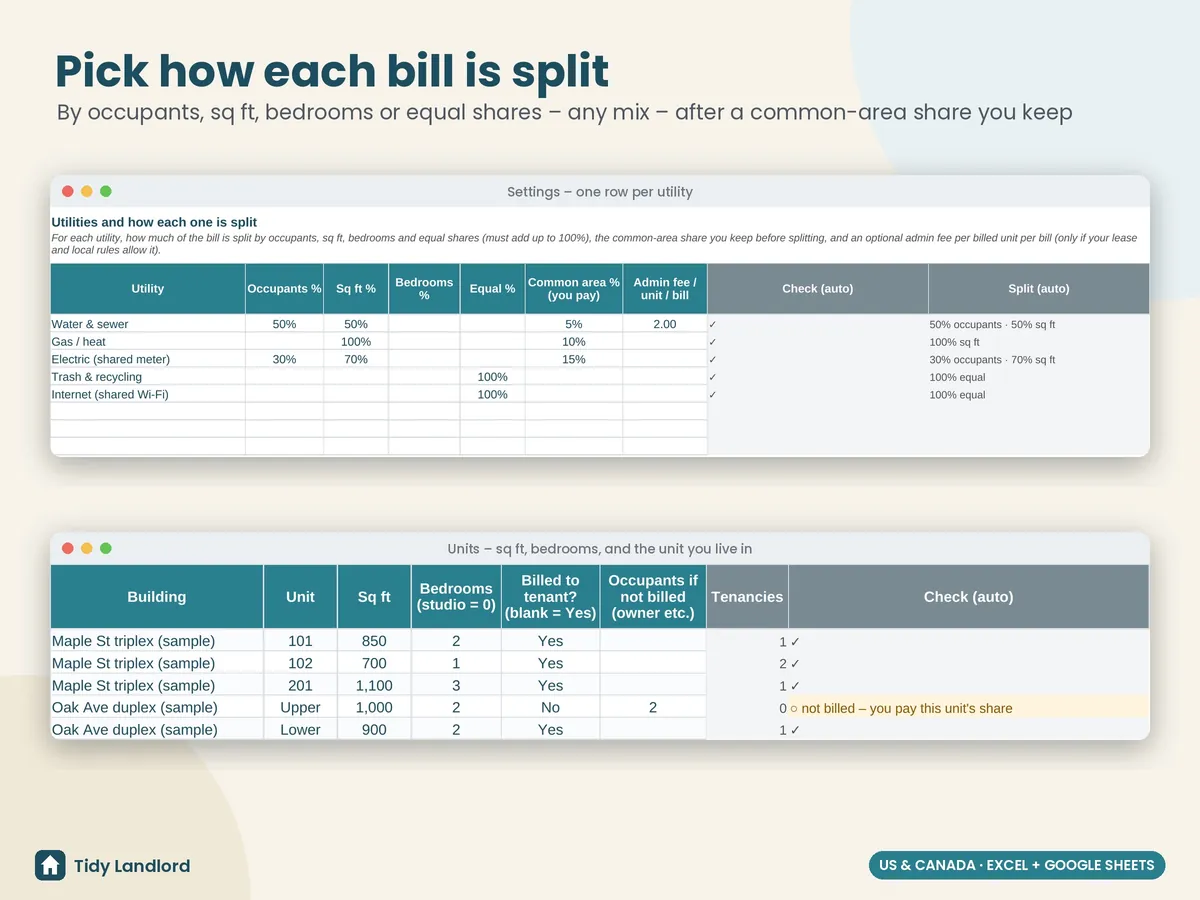
- Settings with one row per utility: split it by occupants, square feet, bedrooms or equal shares, or any mix (e.g. water 50% occupants + 50% sq ft). Set a common-area % that comes off the top and stays with you (hallways, laundry, outdoor taps, the boiler room), plus an optional admin fee per unit per bill
- Units: each unit with its sq ft and bedrooms, including the unit you live in. Mark it “not billed” and enter how many people live there, so the occupant split stays fair
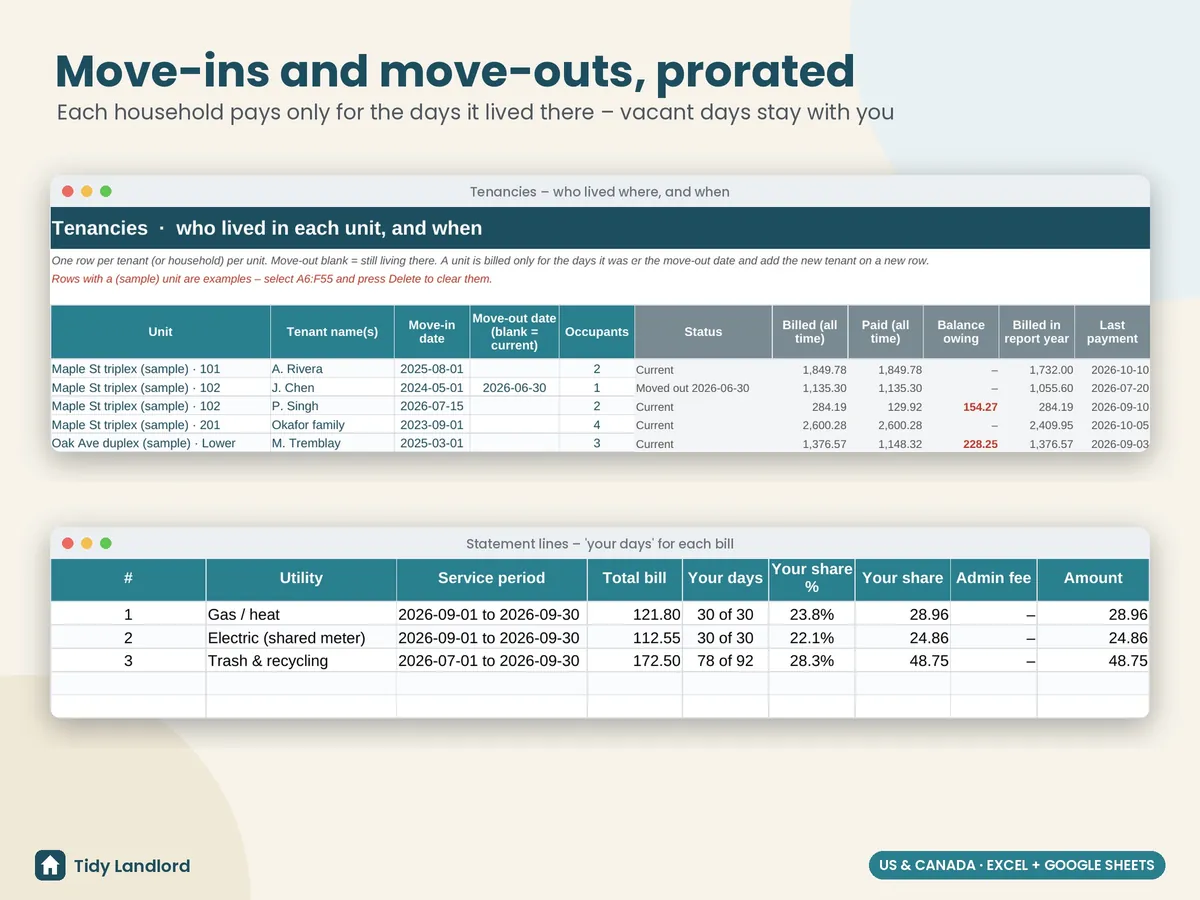
- Tenancies: who lived where and when, with tenant, move-in, move-out and occupants. Move-ins and move-outs are prorated by the day, and a new tenant in the same unit is just a new row
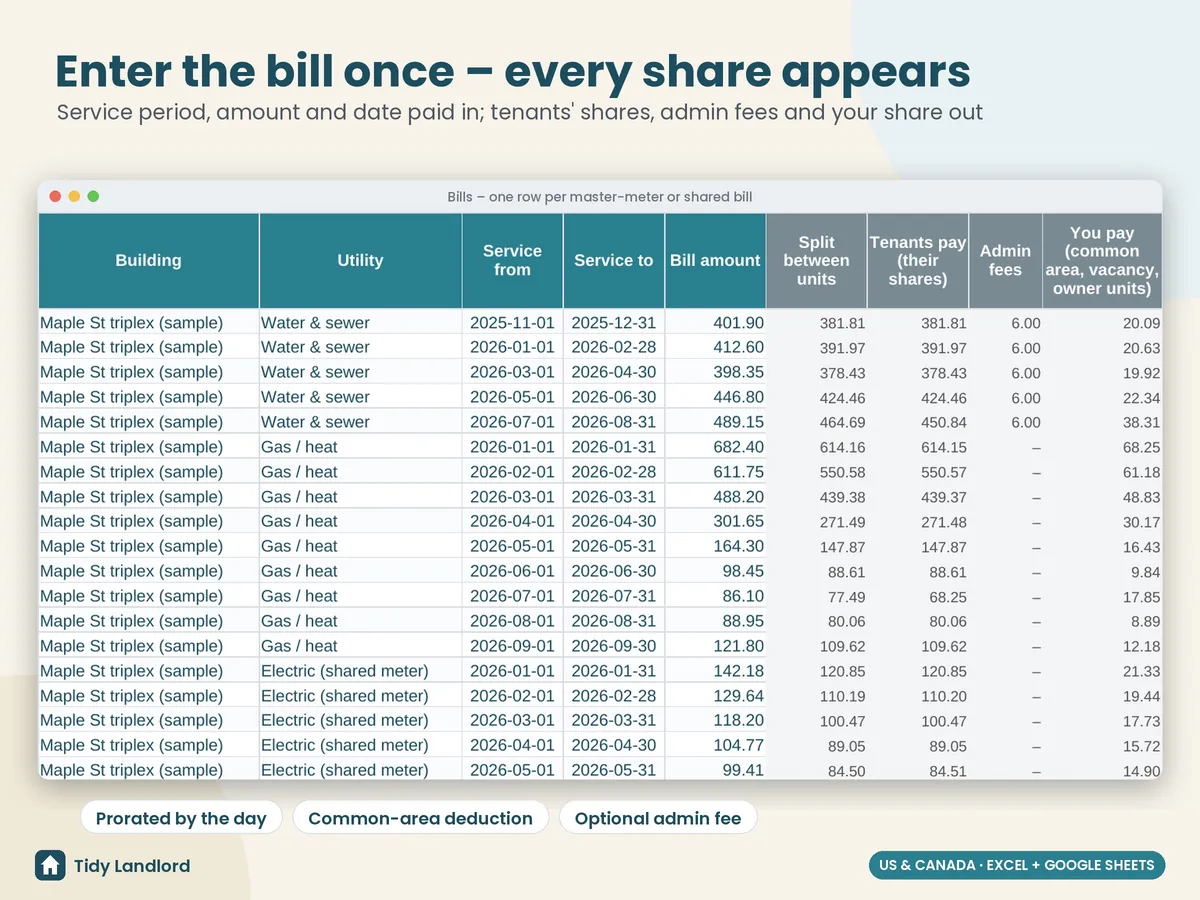
- Bills, one row each: building, utility, service period, amount and date paid. Each tenant's share, the admin fees, your share (common area, vacant days, your own unit) and a check column fill in on their own. Override the bill month or the common-area % on any bill, mark a bill as not billed to tenants, and note the provider or account
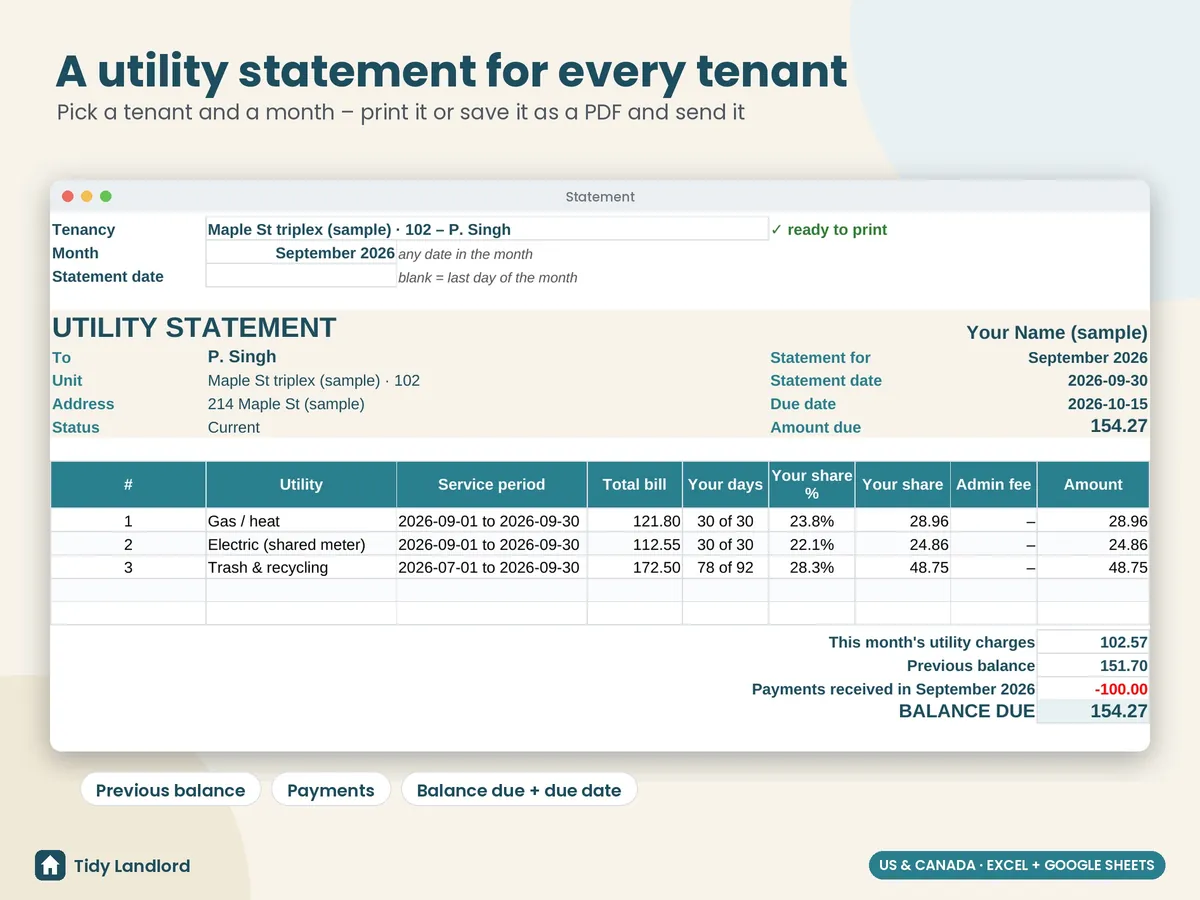
- A printable statement: pick a tenant and a month to see each bill with its service period, the tenant's days, share % and amount, then the previous balance, payments received, the balance due and a due date, plus a “how your share is worked out” table. Print it or save it as a PDF and send it
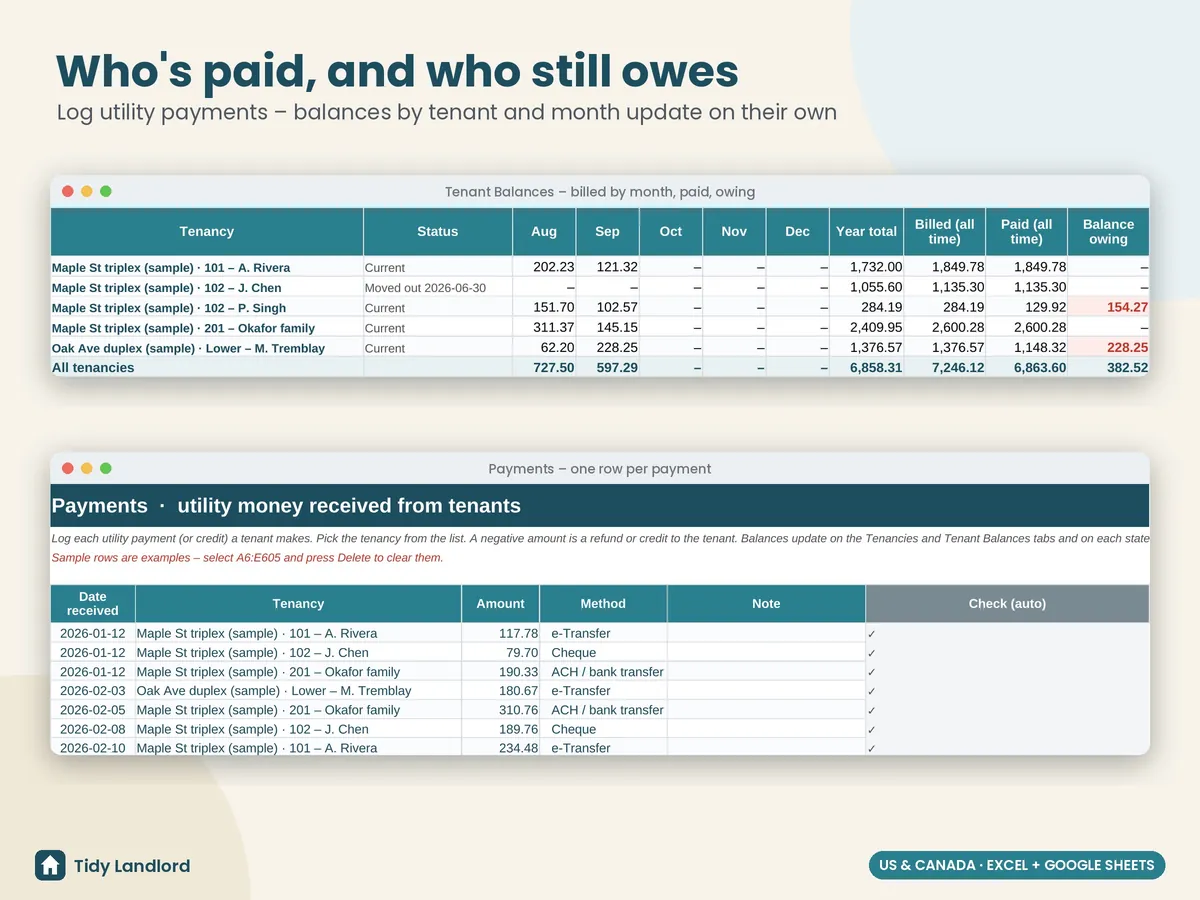
- Payments: log what each tenant pays you for utilities (e-Transfer, cheque, cash, ACH, Zelle, Venmo, added to rent…). Negative amounts are refunds or credits
- Tenant balances for each tenancy: billed by month (Jan–Dec), year total, billed and paid to date, and the balance owing
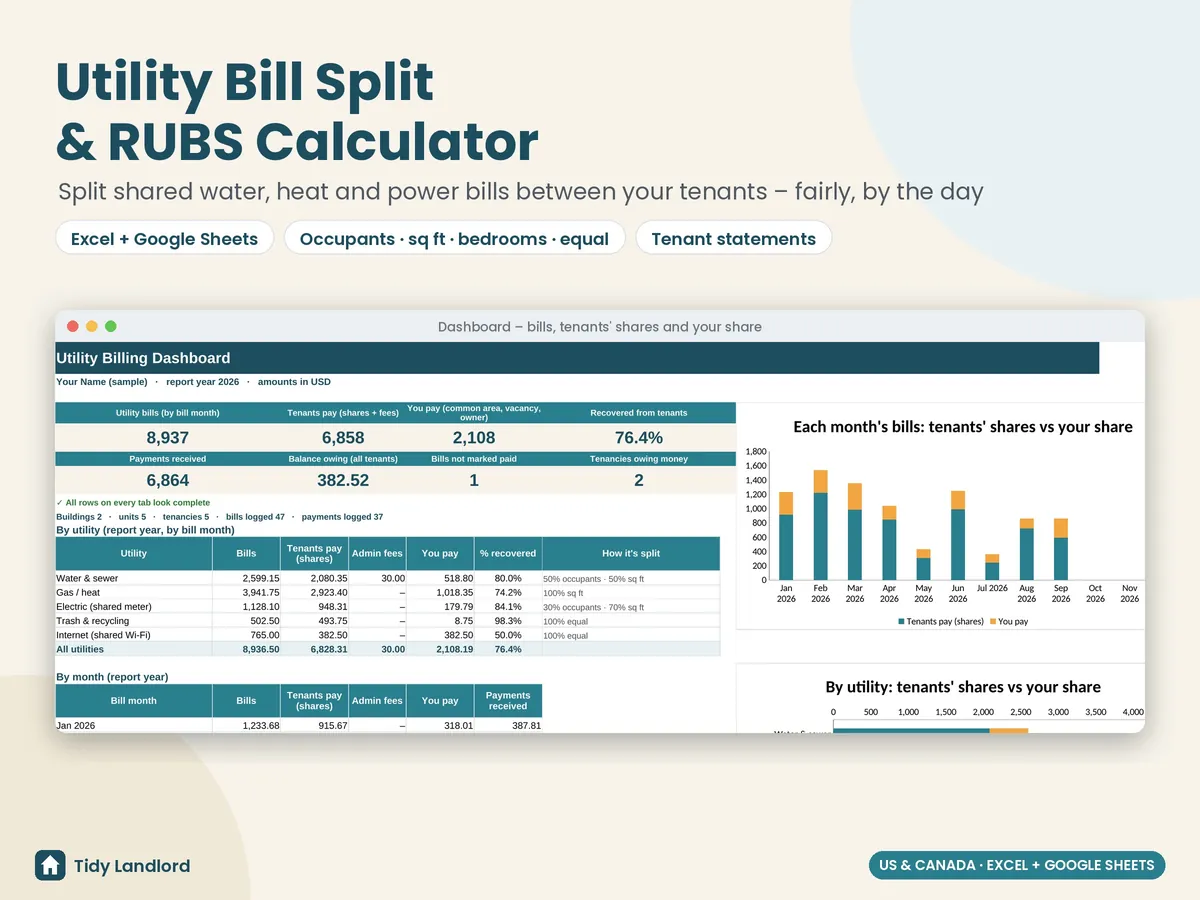
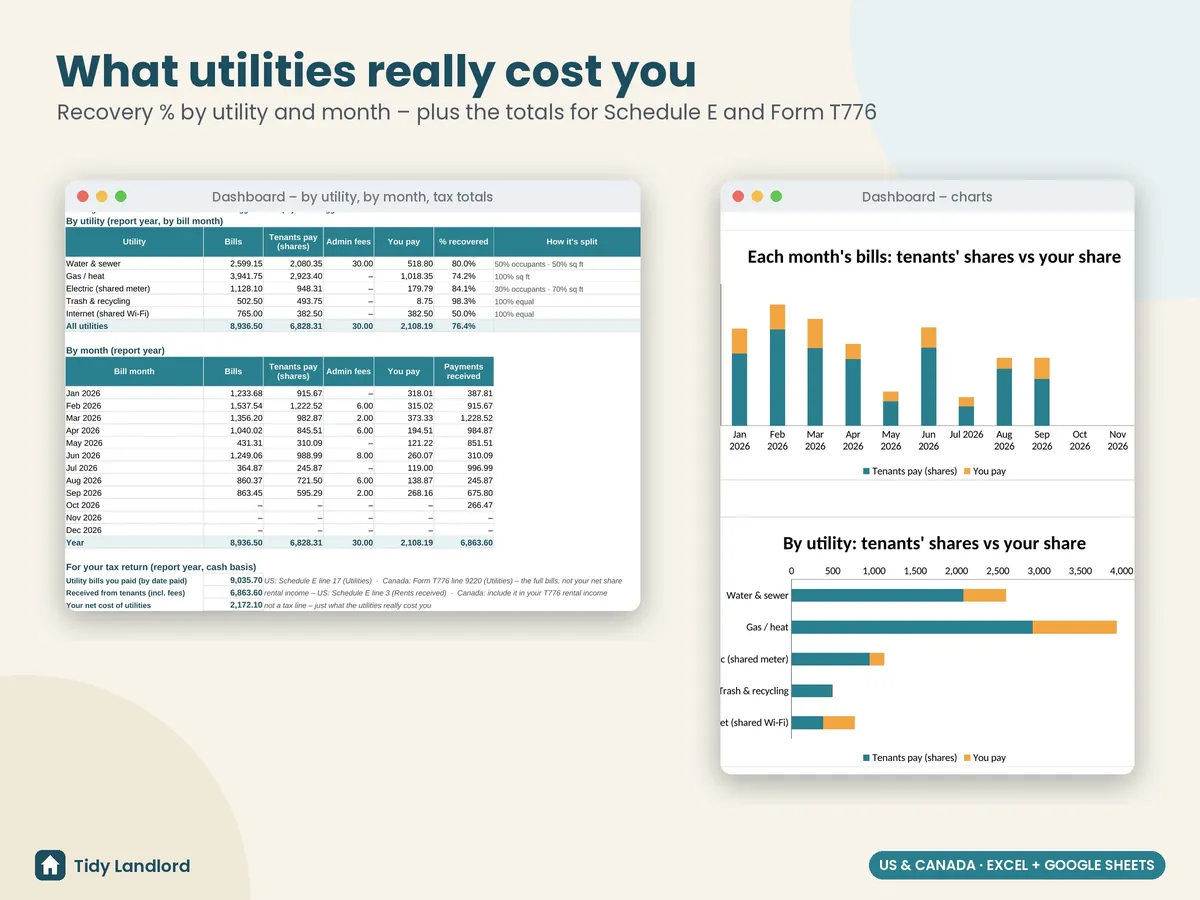
- A dashboard with bills, tenants' share, your share, % recovered, payments received, balance owing and tenancies owing money, a table by utility and by month, two charts, and the totals for your tax return
- Check columns that flag missing buildings, units or dates, splits that don't add up to 100%, overlapping tenancies, text in number cells and unpaid bills; the dashboard counts them for you
- A Start Here guide in plain English, with the split method explained step by step, to set up in about 15–20 minutes
Details
- How the split works: the common-area % comes off the top; the rest is split between units by occupant-days (people × days lived there in the service period) or by sq ft, bedrooms or equal shares for the days each unit was occupied. Vacant days and your own unit stay with you, and shares are rounded to the cent and never add up to more than the bill
- Up to 5 buildings, 40 units, 50 tenancies, 240 bills and 600 payments; any currency label and any bill period (monthly, every 2 months, quarterly)
- Tax totals on a cash basis for the report year: utility bills you paid (US Schedule E line 17 / Canada Form T776 line 9220) and utility money received from tenants (rental income)
- Excel 2010+ and Google Sheets, no macros, no add-ons, no subscription
- Tested formula by formula against an independent model (move-ins and move-outs, owner-occupied units, overlapping tenancies, changed split methods, more than 15 bills in a month, cleared data and edge cases), in LibreOffice and live in Google Sheets
- Not billing or accounting software: it doesn't send anything, and the numbers are only as good as what you enter
Screenshots
How it works
- Buy on Etsy and download the .xlsx file.
- Open it in Excel, or upload it to Google Drive and choose File → Save as Google Sheets.
- Delete the clearly marked sample data, set up your utilities and buildings on Settings, then add your units and tenancies and log each bill as it arrives.
Free guide: Rental property tax deductions checklist
This is a record-keeping and calculation tool, not legal, tax or accounting advice. Only bill tenants for utilities if your lease allows it. Rules for charging tenants for utilities differ by state, province and city: some places restrict or don't allow RUBS, admin fees or charging for utilities on a shared meter, or require you to explain the method in writing before the lease is signed. Check your local landlord-tenant rules (or ask a local professional) before you send a statement. Taxes: in the US, IRS Publication 527 treats expenses your tenant pays as rental income, so the full utility bills you paid go on Schedule E line 17 (Utilities) and what tenants paid you back counts as rental income. In Canada, claim the bills on Form T776 line 9220 (Utilities) and include what tenants paid you in your rental income (CRA guide T4036). Please check the current rules for your situation, or ask a professional, before you file. It was designed with the help of AI tools, then reviewed and tested before release.