Home › US edition
US editionLandlord spreadsheet for Schedule E
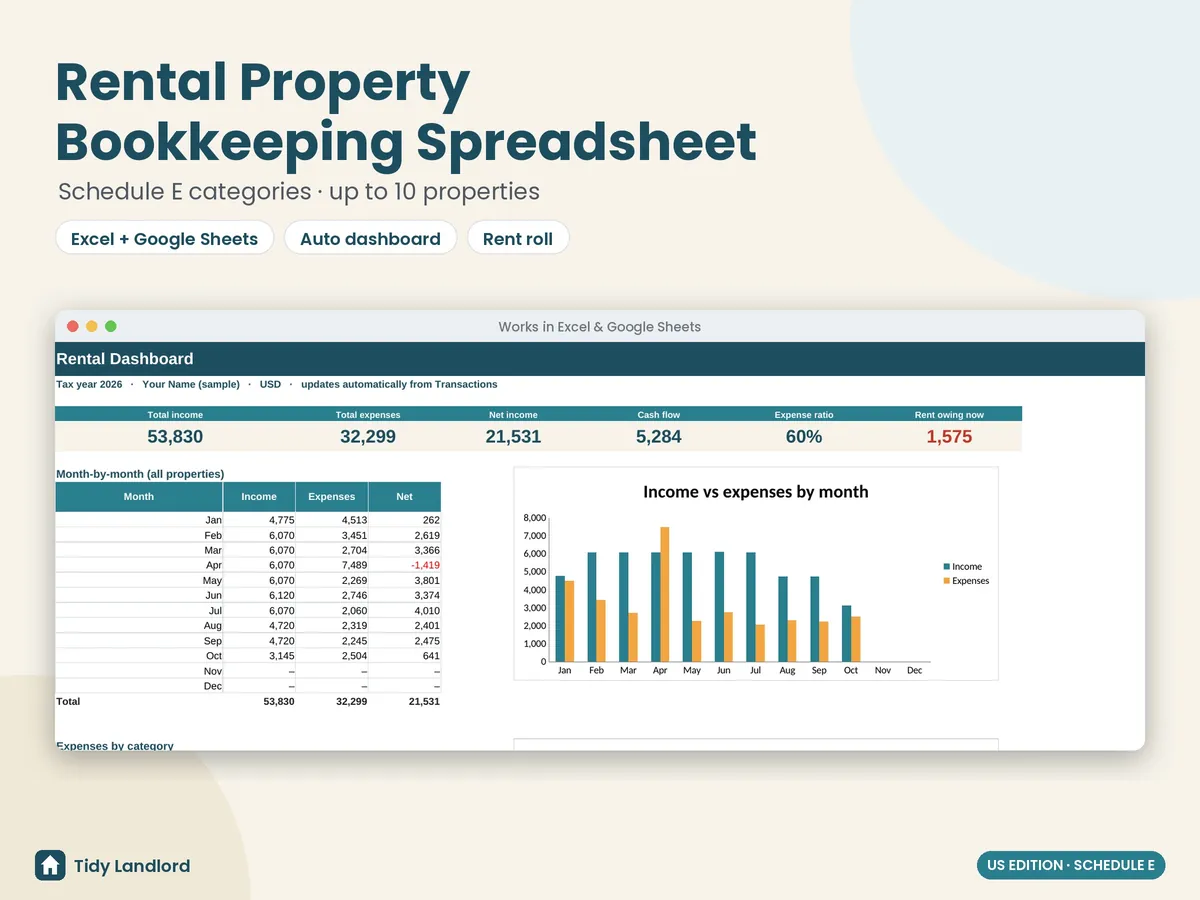
Track rent and expenses for up to 10 US rental properties, organized by IRS Schedule E (Part I) categories. Works in Excel and Google Sheets.
Instant digital download (.xlsx). No macros, no subscription.
What you get
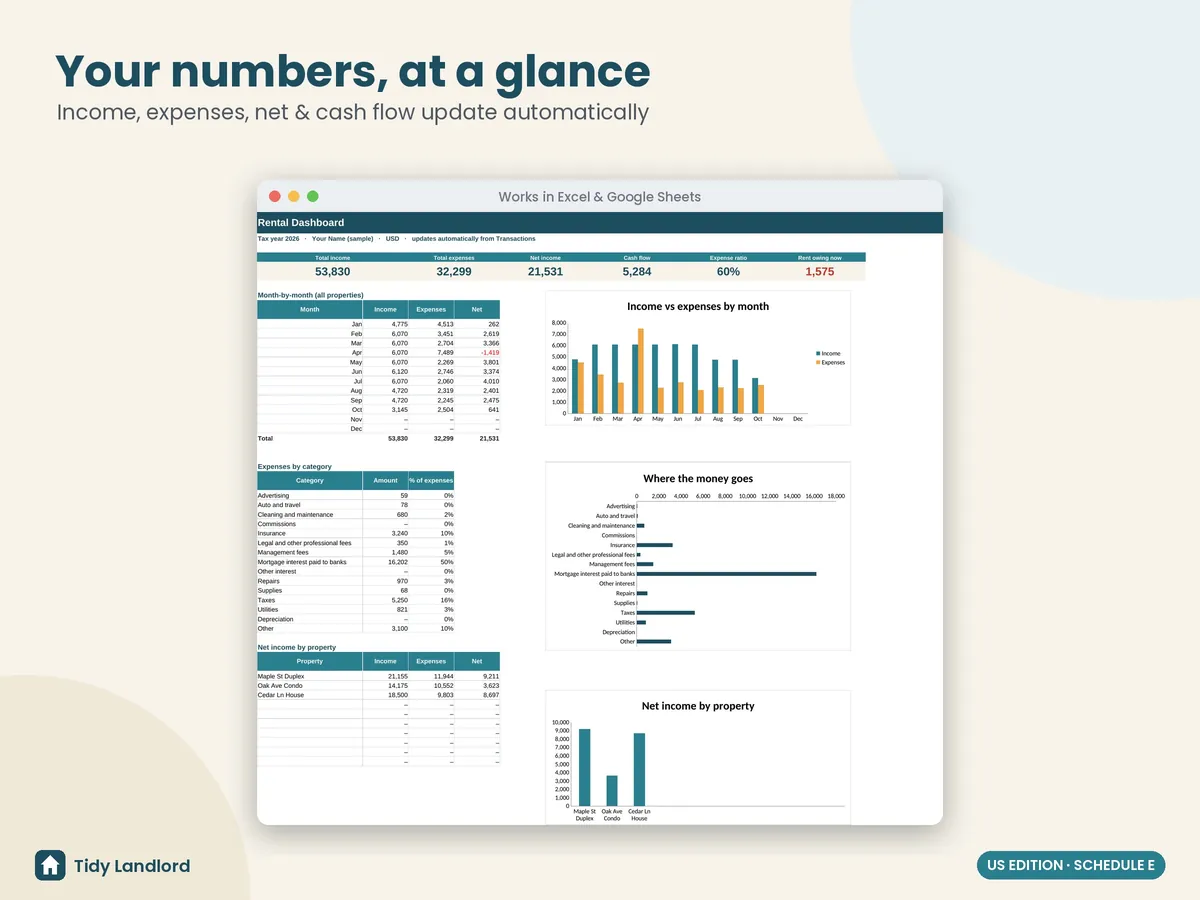
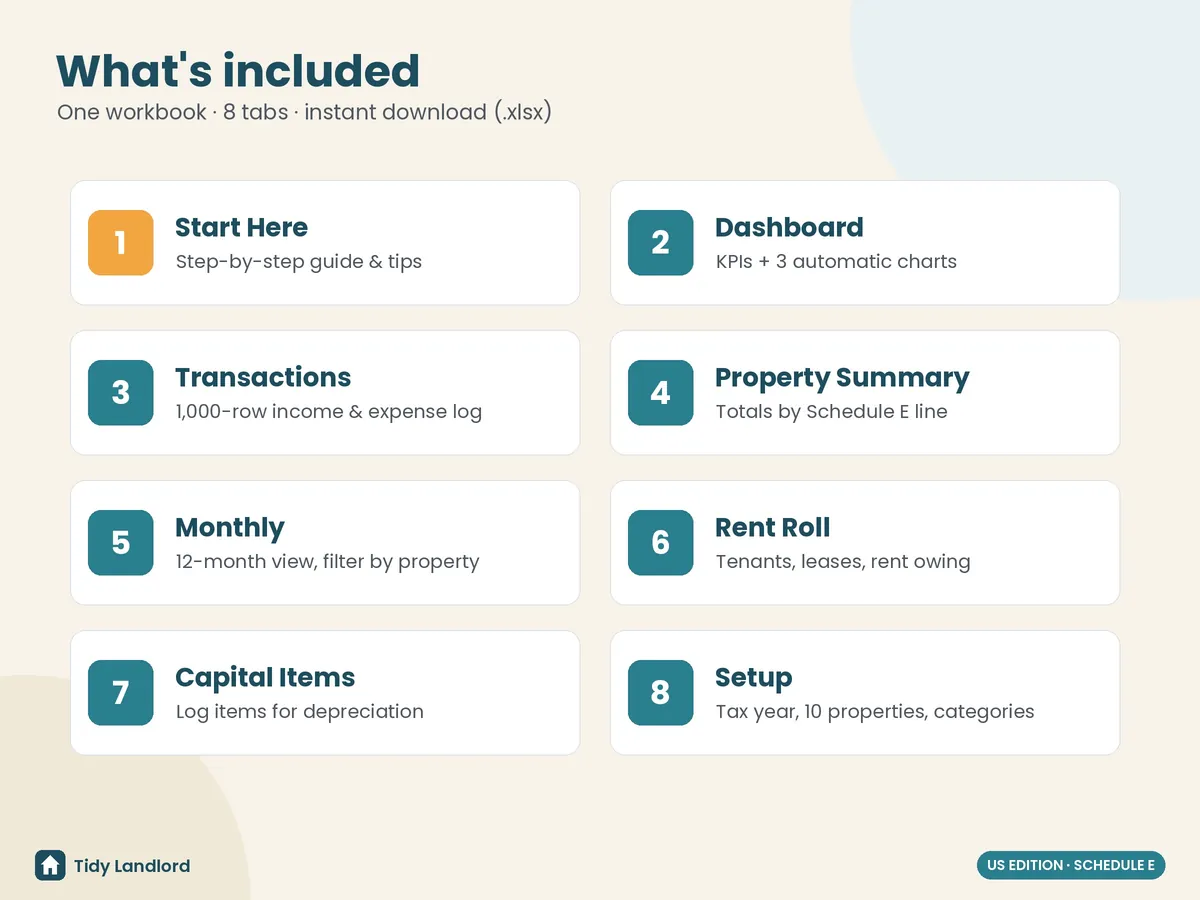
- A dashboard with income, expenses, net income, cash flow, expense ratio and rent owing, plus 3 charts
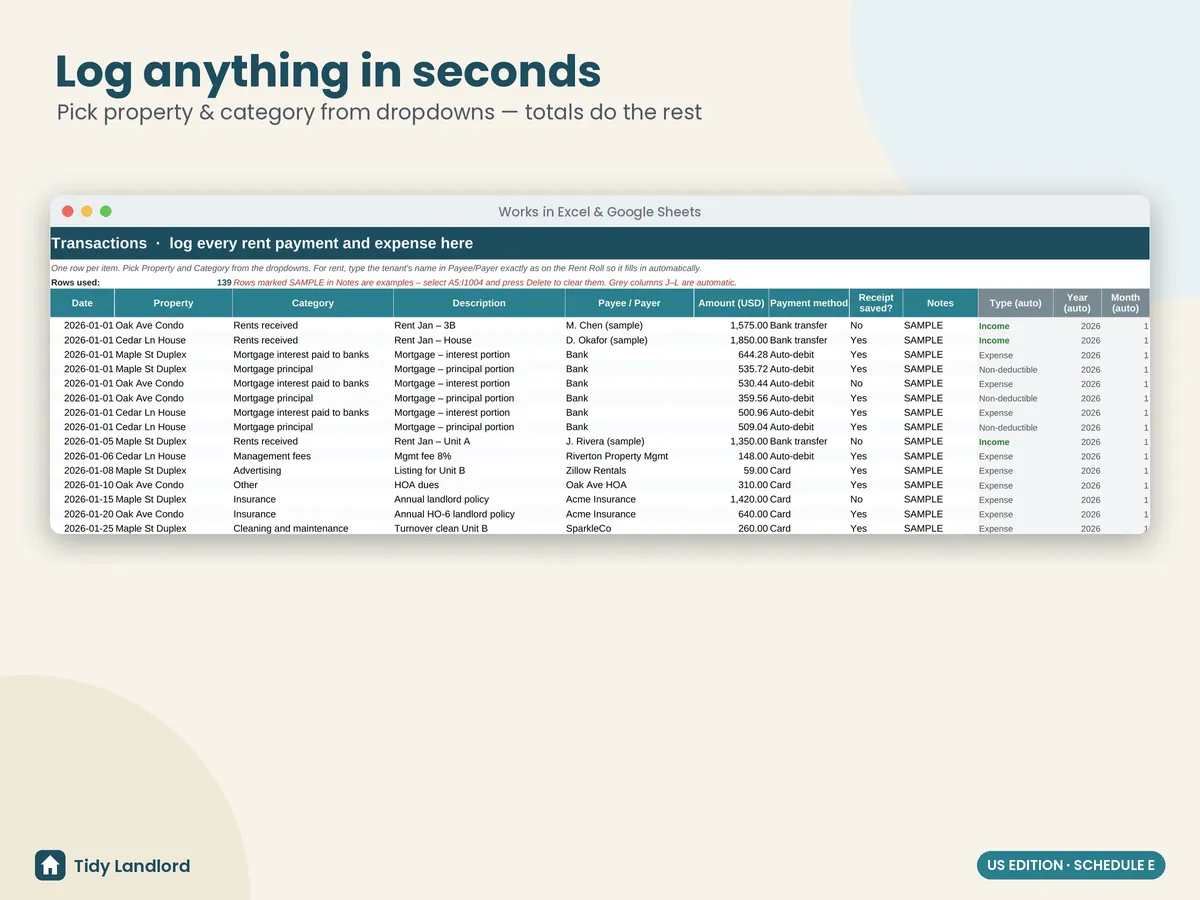
- A 1,000-row transactions log with property and category dropdowns
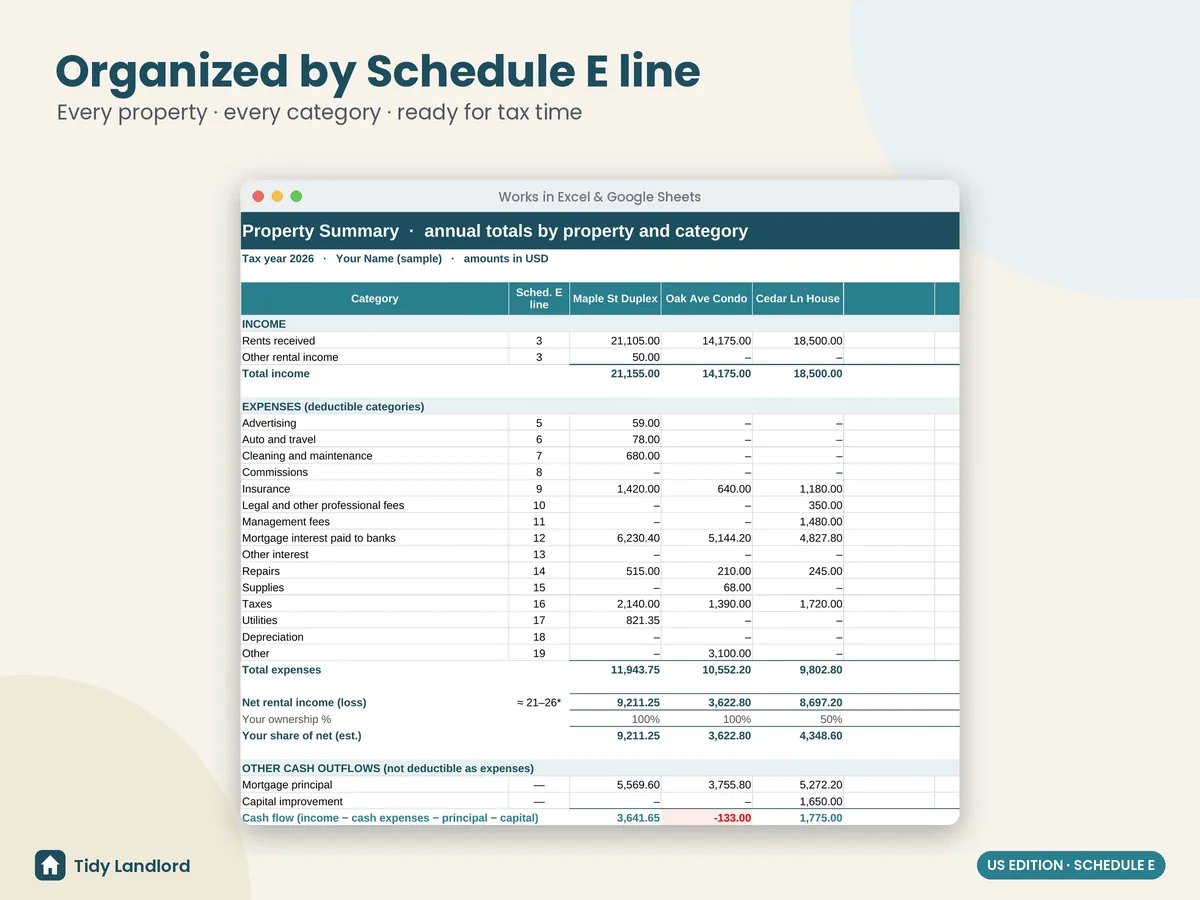
- A property summary by Schedule E line
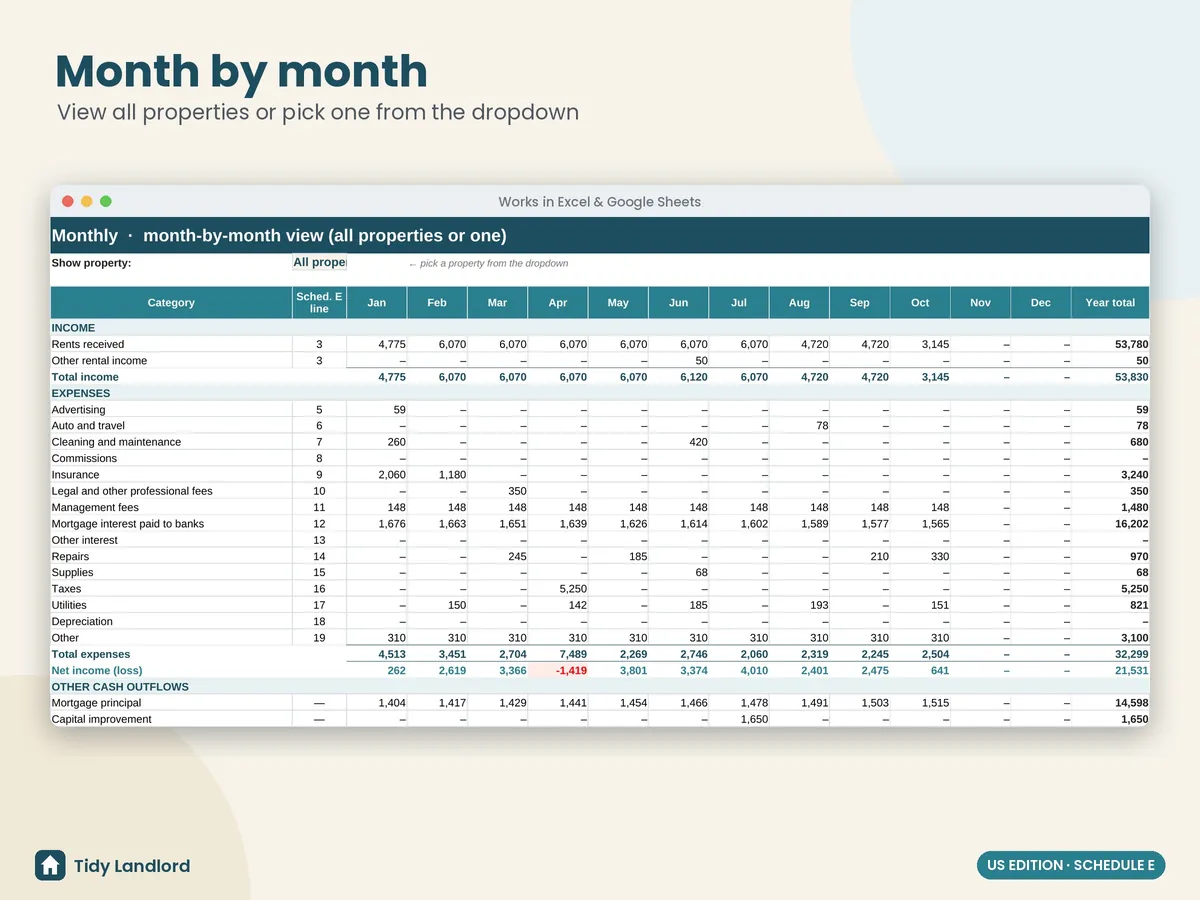
- A monthly view for all properties or one
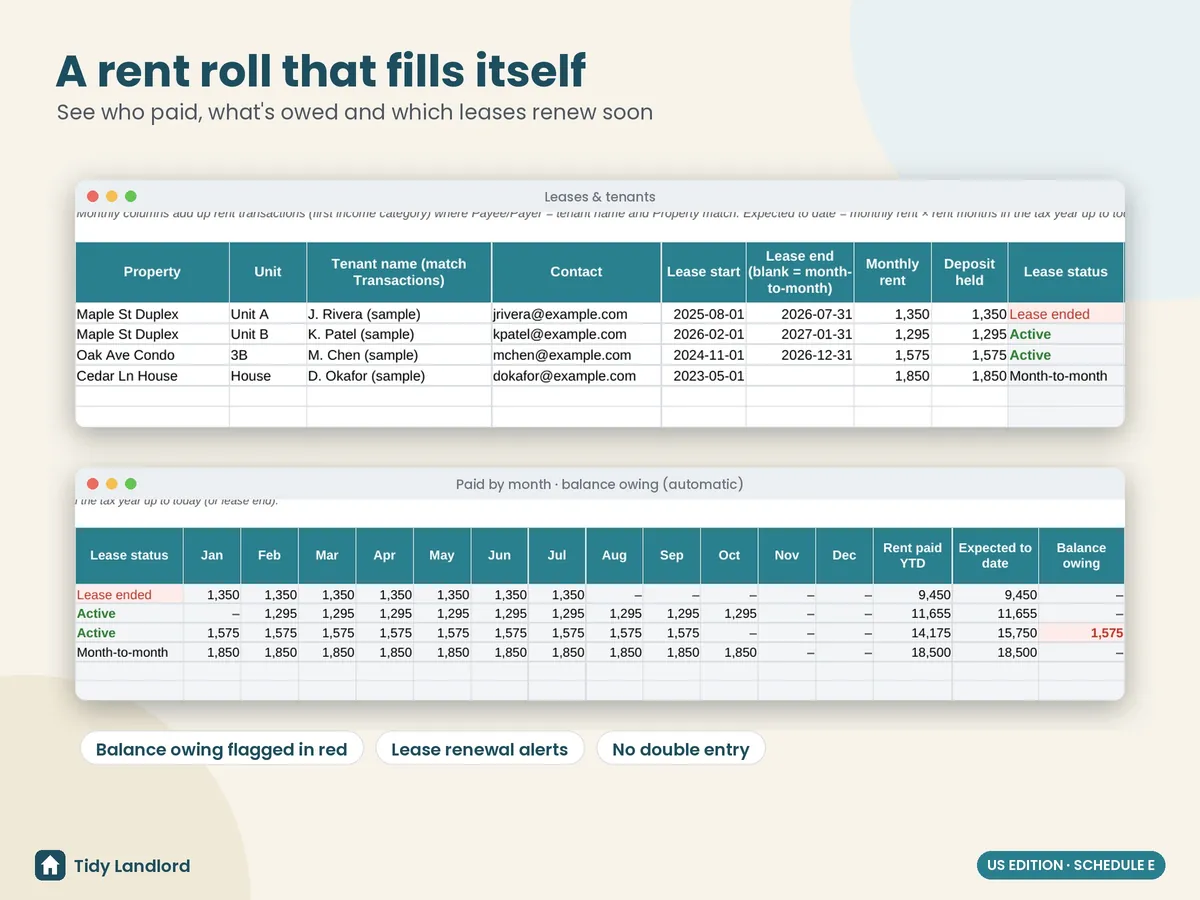
- A rent roll with renewal alerts; rent paid and balance owing fill in automatically
- A capital items log for your depreciation schedule
- Setup for the tax year, up to 10 properties and ownership %
- A Start Here guide and clearly labelled sample data you can delete
Categories included
| Category | Sched. E line |
|---|---|
| Rents received | 3 |
| Advertising | 5 |
| Auto and travel | 6 |
| Cleaning and maintenance | 7 |
| Commissions | 8 |
| Insurance | 9 |
| Legal and other professional fees | 10 |
| Management fees | 11 |
| Mortgage interest paid to banks | 12 |
| Other interest | 13 |
| Repairs | 14 |
| Supplies | 15 |
| Taxes | 16 |
| Utilities | 17 |
| Depreciation | 18 |
| Other | 19 |
Line numbers are for convenience. Rules change, so confirm with a tax professional or IRS Publication 527.
Screenshots
How it works
- Buy on Etsy and download the .xlsx file.
- Open it in Excel, or upload it to Google Drive and choose File → Save as Google Sheets.
- Delete the sample data, add your properties and start logging.
This is a record-keeping tool, not tax, legal or accounting advice. It was designed with the help of AI tools, then reviewed and tested formula by formula.