Home › Renovation & rehab budget tracker
Rehabs & BRRRRRental renovation & rehab budget tracker
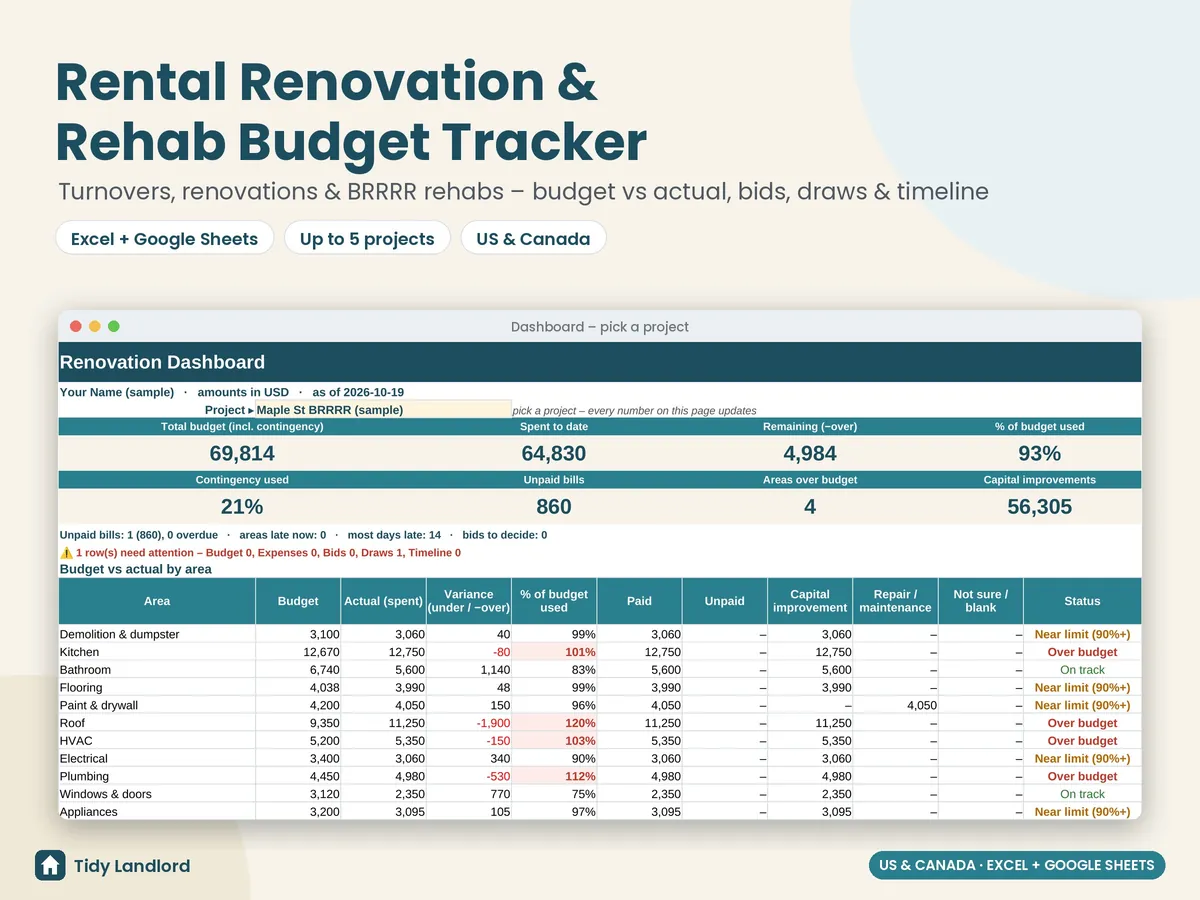
Keep every rental rehab on budget, in a renovation and rehab budget tracker for landlords and real estate investors that works in Excel and Google Sheets. Plan a turnover between tenants, a kitchen-and-bath renovation or a full BRRRR rehab, in the US, Canada or anywhere else (the currency is just a label). Built for up to 5 projects at a time, with 16 renovation areas you can rename.
Instant digital download (.xlsx). No macros, no subscription.
What you get
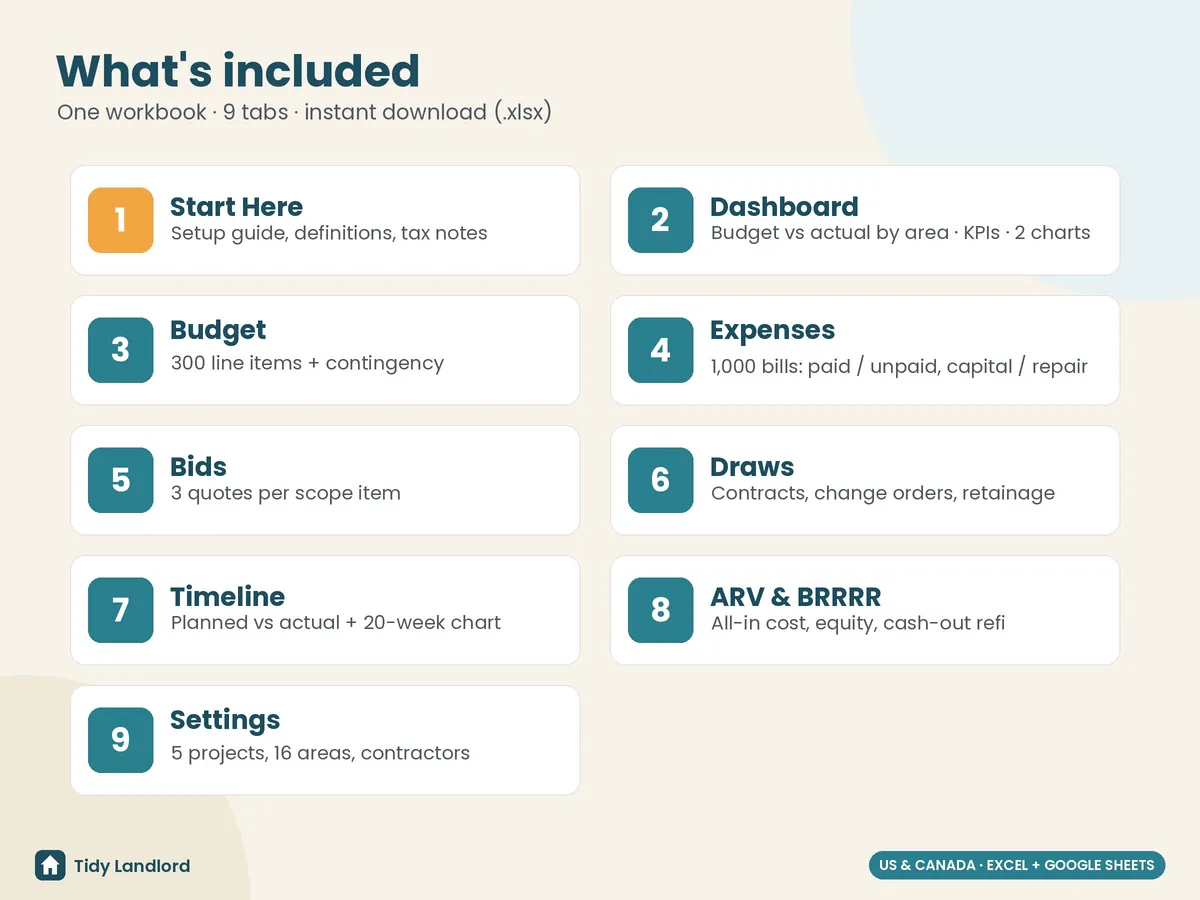
- Settings for your projects (type, start date and an optional contingency % for each), a default contingency % (10% pre-filled), 16 editable areas (demolition, kitchen, bathroom, flooring, paint & drywall, roof, HVAC, electrical, plumbing, windows & doors, appliances, exterior, landscaping, cleaning & turnover, permits & fees, other) and up to 20 contractors
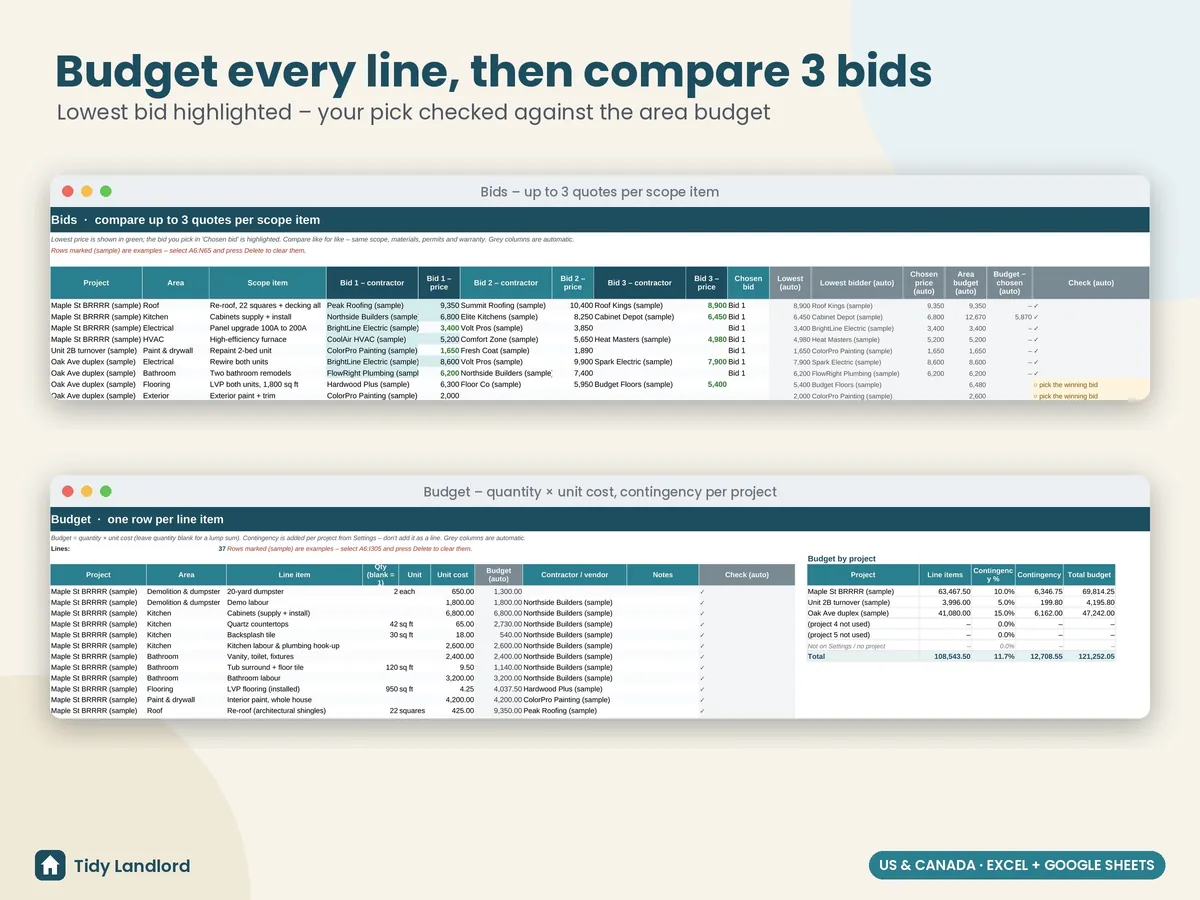
- A budget with 300 line items: project, area, item, and quantity × unit cost or a lump sum. Contingency is added on top for each project automatically
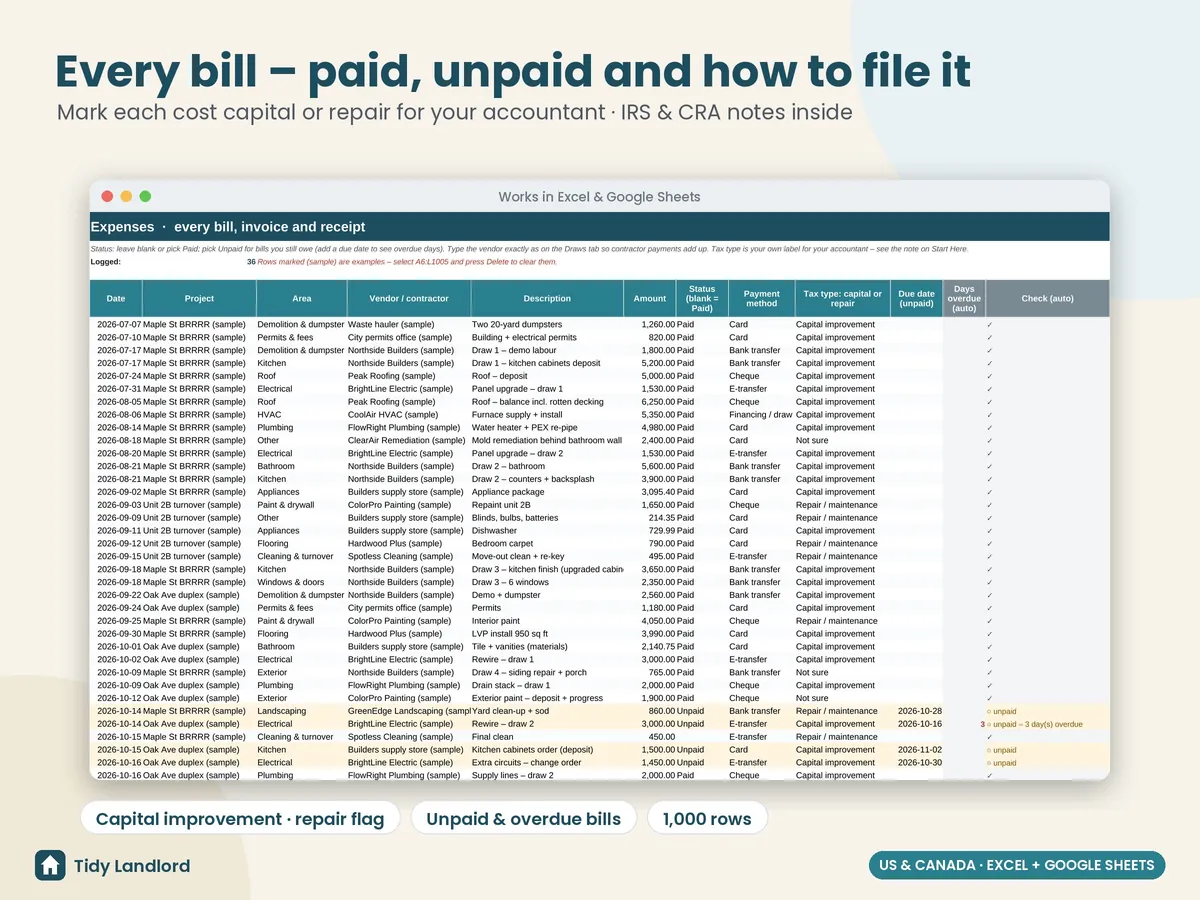
- An expenses log with 1,000 rows: date, project, area, vendor, description, amount, Paid / Unpaid, payment method, due date and a capital improvement / repair / not sure label for your accountant. Overdue bills show how many days late they are
- Contractor bids: compare up to 3 quotes per scope item, with the lowest price highlighted, the spread %, the bid you choose vs the lowest, and the chosen price against your area budget
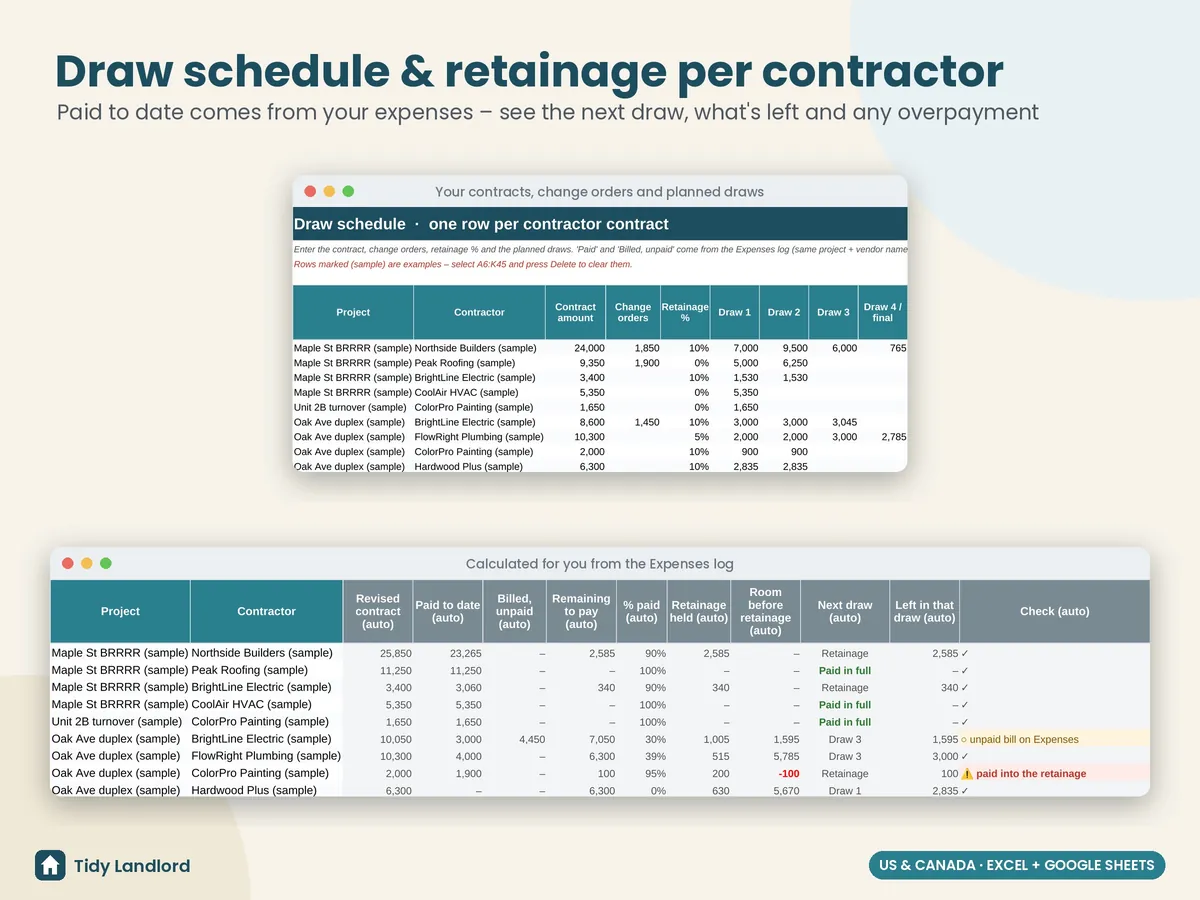
- A draw schedule with one row per contractor: contract amount, change orders, retainage % and up to 4 draws. Paid to date and unpaid bills come straight from the expenses log, with the next draw, what's left in it, retainage held and a warning if you've paid into the retainage or more than the contract
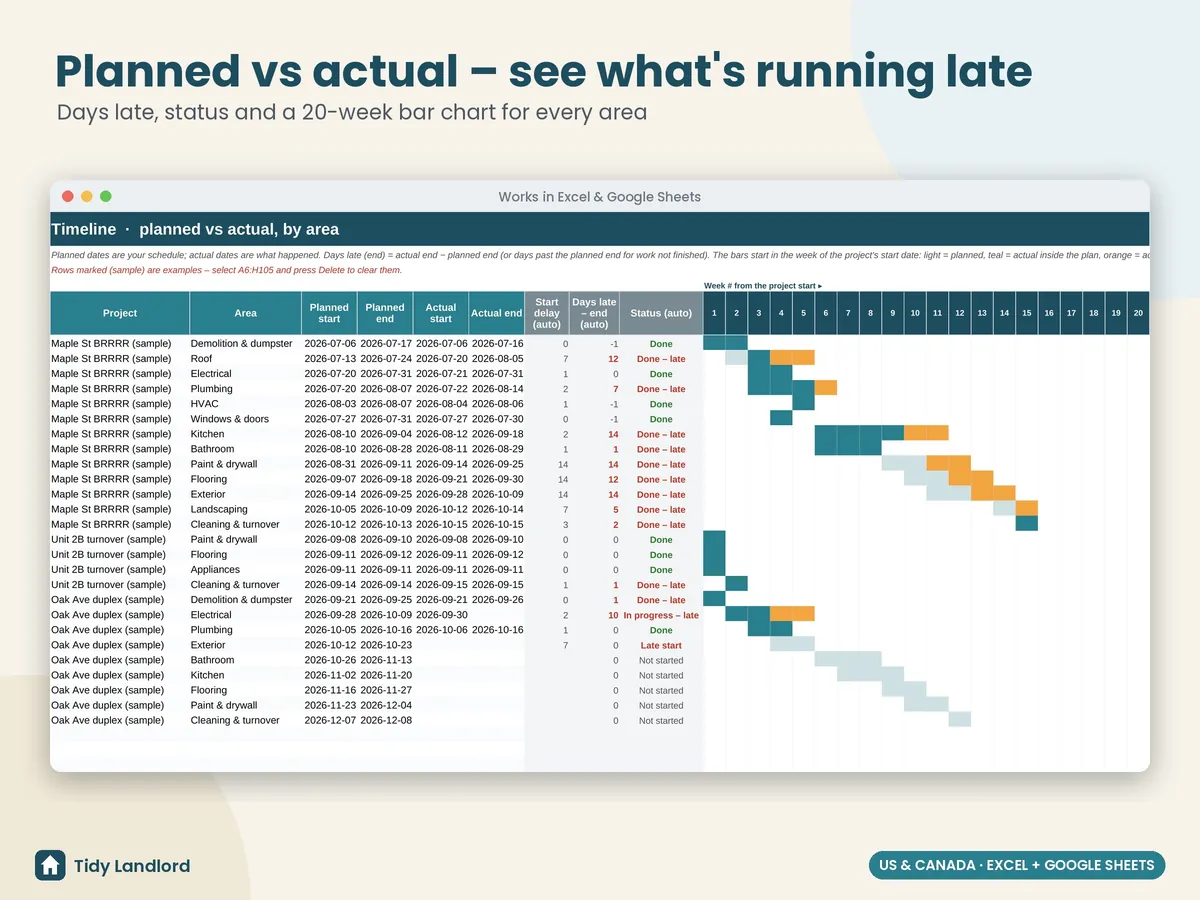
- A timeline with planned vs actual start and end for each area, days late, status (done, in progress, late start…) and a 20-week bar chart
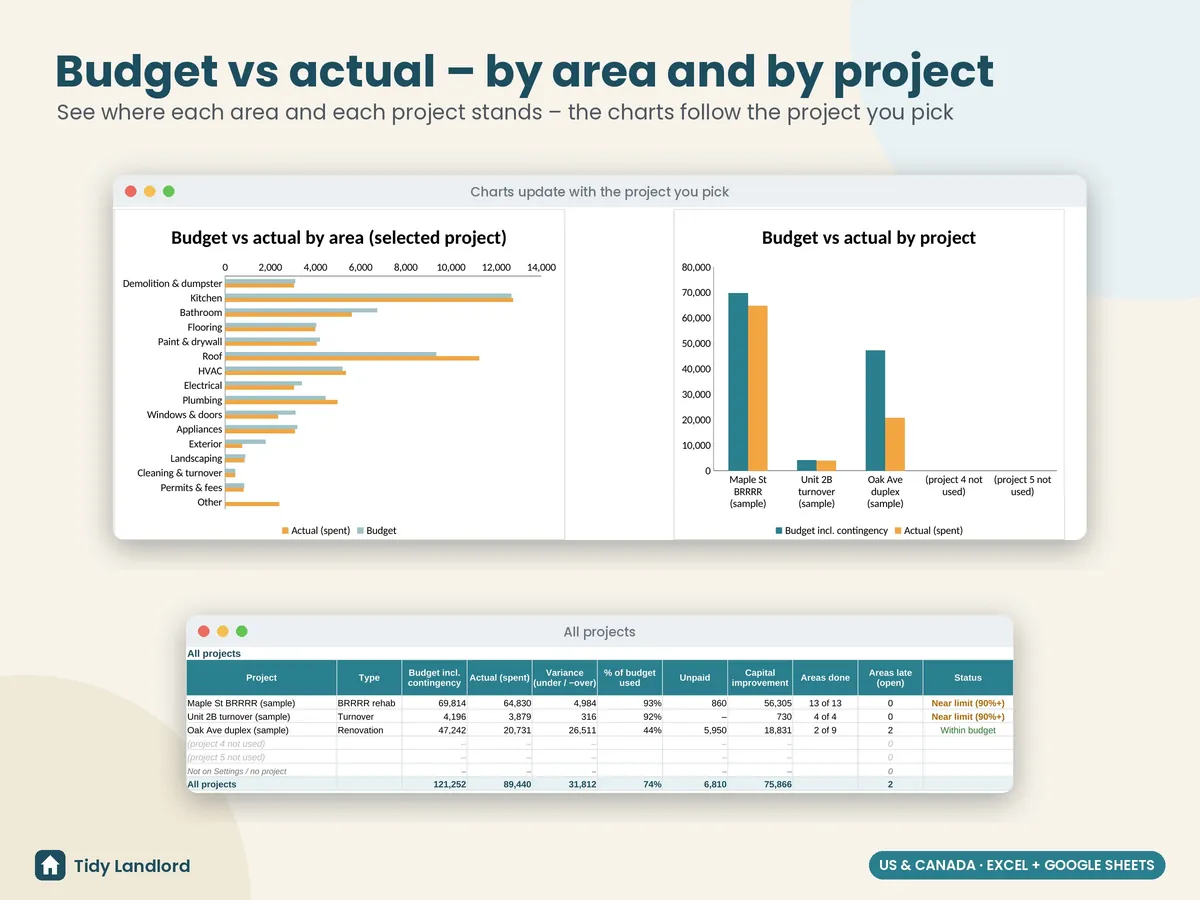
- A dashboard for any project: budget vs actual by area, variance, % of budget used, contingency used, paid vs unpaid, capital vs repair, areas over budget, a budget-vs-actual chart, and every project side by side
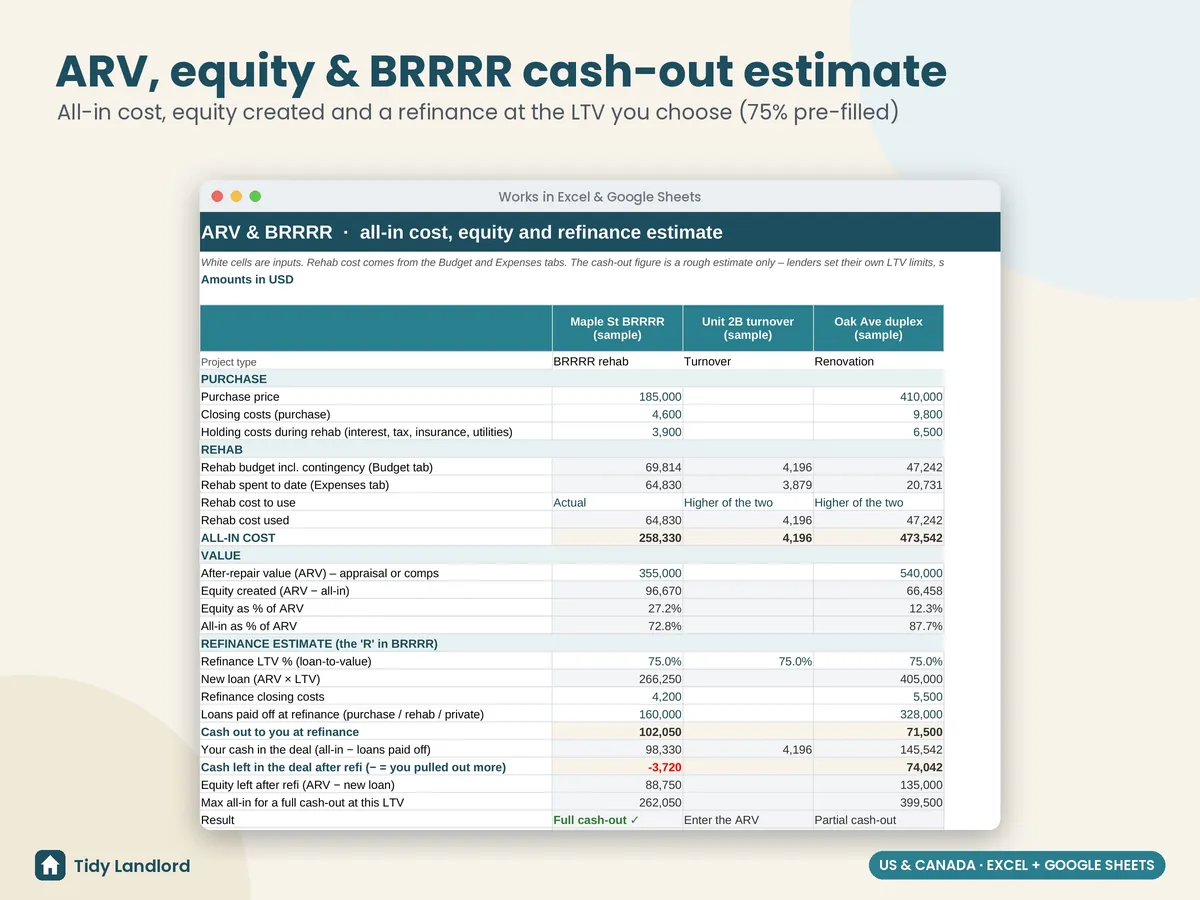
- ARV & BRRRR: purchase price, closing and holding costs, rehab cost (budget, actual or the higher of the two), all-in cost, ARV, equity created, and a cash-out refinance estimate at the LTV you enter (75% pre-filled): new loan, cash out, cash left in the deal and the most you can spend for a full cash-out
- Check columns that flag missing projects or areas, names not on Settings, text typed into number cells, impossible dates, duplicate contracts and bids with no price; the dashboard counts them for you
- A Start Here guide with plain-English definitions, to set up in about 15 minutes
Details
- Up to 5 projects, 300 budget lines, 1,000 expenses, 60 bid comparisons, 40 contractor contracts and 100 timeline rows; works with any currency
- “Late” and “overdue” use today's date, or an as-of date you set
- Excel 2010+ and Google Sheets, no macros, no add-ons, no subscription
- Tested formula by formula with sample data, empty projects, overruns, unpaid bills, multiple bids and edge cases, in LibreOffice and live in Google Sheets
- Not construction-management or accounting software, and not connected to any bank or lender
Screenshots
How it works
- Buy on Etsy and download the .xlsx file.
- Open it in Excel, or upload it to Google Drive and choose File → Save as Google Sheets.
- Add your projects and contractors, delete the clearly marked sample data, build your budget and log every bill as it comes in.
Free guide: Rental property tax deductions checklist
This is a budgeting and record-keeping tool, not tax, legal, lending or accounting advice, and the refinance numbers are estimates, not a loan offer: lenders set their own LTV limits, seasoning rules and fees. The capital improvement / repair column is your own label; it doesn't decide the tax treatment. General notes only: IRS Publication 527 says you must capitalize an expense that improves your rental property (a betterment, a restoration or an adaptation to a new or different use), while repairs and maintenance may generally be deducted; the IRS tangible property regulations also include a de minimis safe harbor (up to $2,500 per invoice or item if you don't have an applicable financial statement) and a routine maintenance safe harbor. CRA guide T4036 says renovations that extend the useful life of your property or improve it beyond its original condition are usually capital expenses, and that the cost of renovating or repairing an older building you bought to make it suitable to rent is considered a capital expense. Rules change and depend on your situation, so please check the current IRS or CRA guidance, or ask a tax professional. It was designed with the help of AI tools, then reviewed and tested before release.