Home › Rent comps & market rent analyzer
Pricing & renewalsRent comps & market rent analyzer (US & Canada)
What should you charge for your rental? Log the comparable rentals near you, and this workbook adjusts every comp to your unit, works out a weighted market rent and a suggested asking rent, then tells you whether a rent increase is worth it once you count the risk of a move-out. A rent comps and market rent analysis spreadsheet for landlords in the US and Canada, in Excel and Google Sheets. Built for up to 20 of your units and 300 comps, with 13 features you put a value on (bedrooms, bathrooms, size, parking, in-suite laundry, A/C, heat / electricity / water included, furnished, pets, outdoor space and condition). Works in sq ft or m² and any currency label.
Instant digital download (.xlsx). No macros, no subscription.
Included in both complete bundles: get this spreadsheet plus 16 more in the Complete Landlord Bundle (US) (CA$79.99, save about 72%) or the Canadian Landlord Bundle (T776) (CA$81.99, save about 71%).
Save with the bundle: get this spreadsheet plus 3 more in the Leasing & Rent Setting Bundle (CA$34.99, save about 41%).
What you get
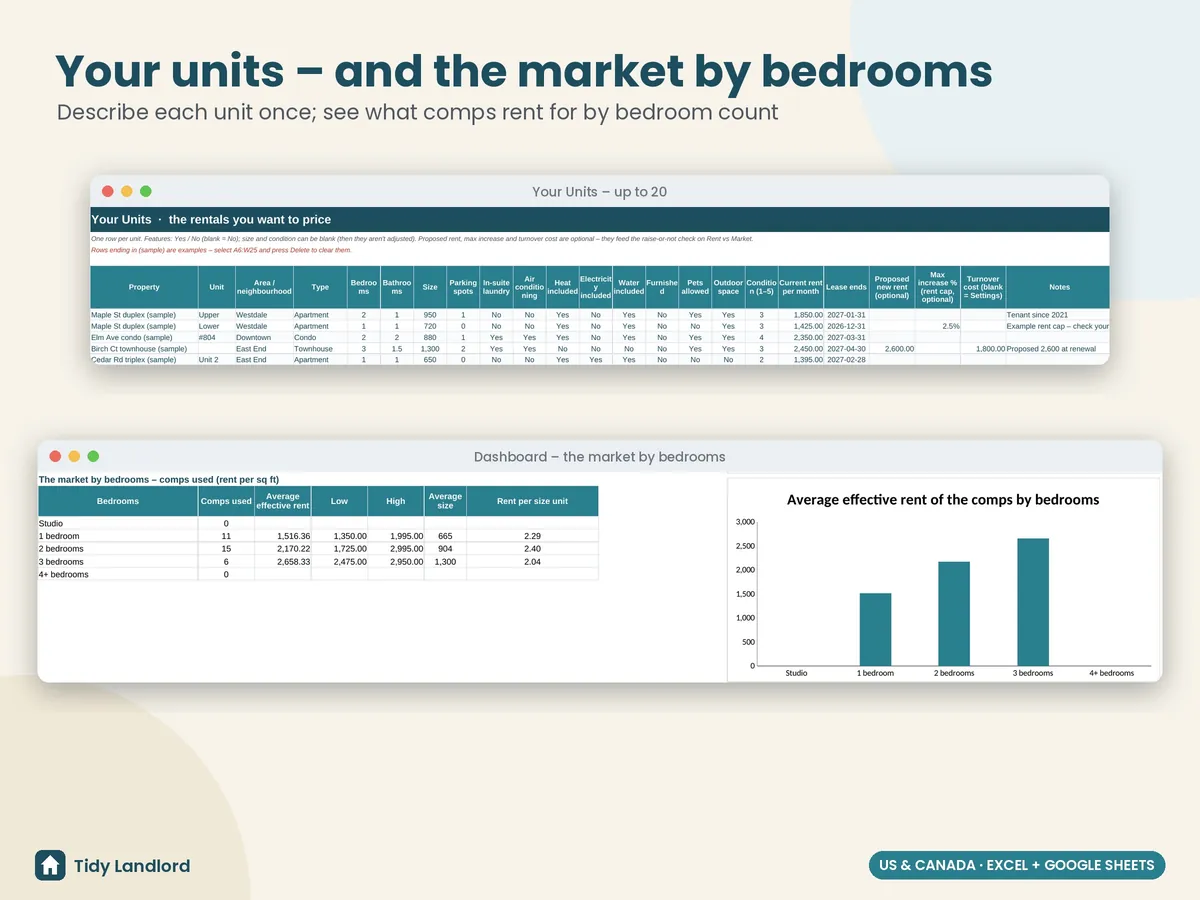
- Your units: each unit you want to price, with area, type, bedrooms, bathrooms, size, parking, features and condition, the current rent and lease end, and optionally a proposed new rent, the most you're allowed to raise it (your rent cap %) and a turnover cost
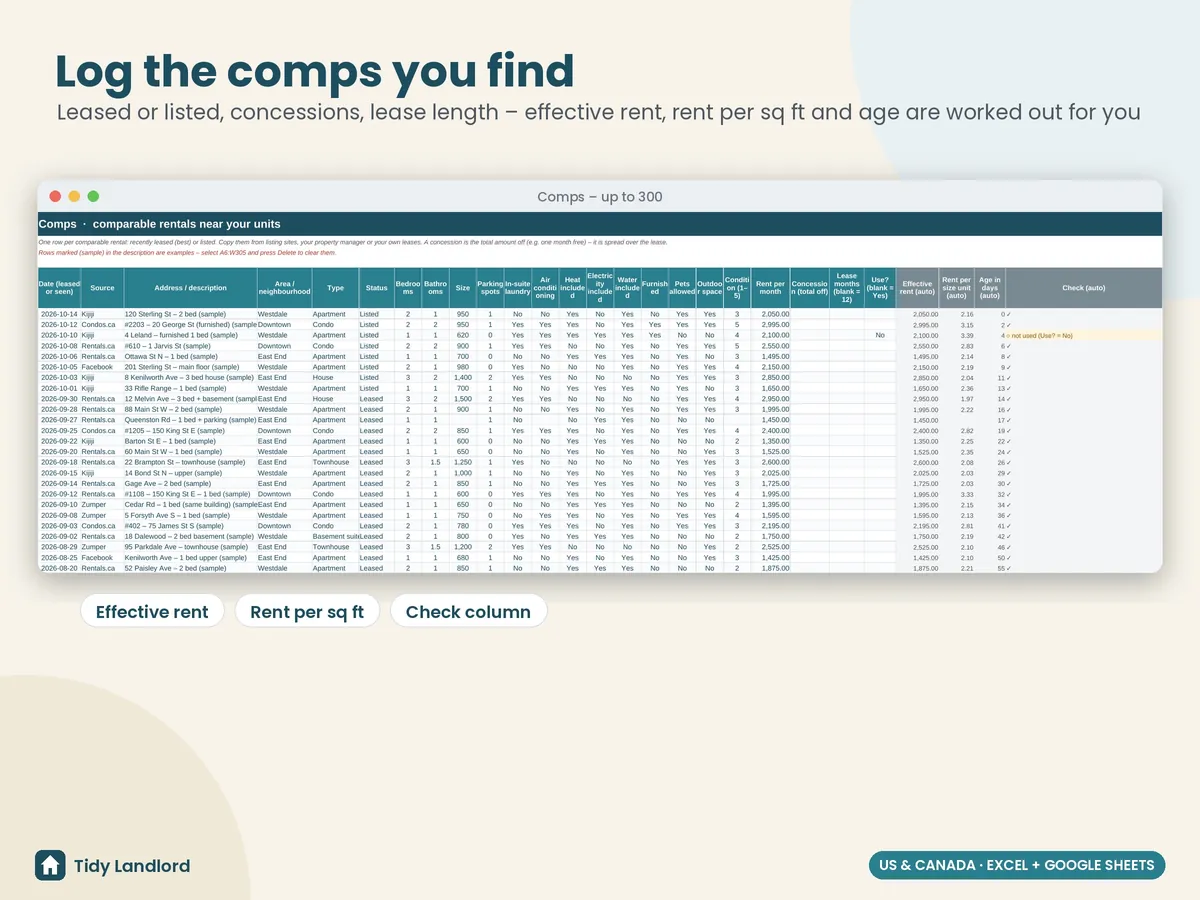
- Comps, one row per comparable rental from listing sites, your property manager or your own leases: date, source, area, type, Leased or Listed, the same features, the rent, any concession (e.g. one month free) and the lease length. Effective rent, rent per sq ft (or m²) and the age in days are worked out for you
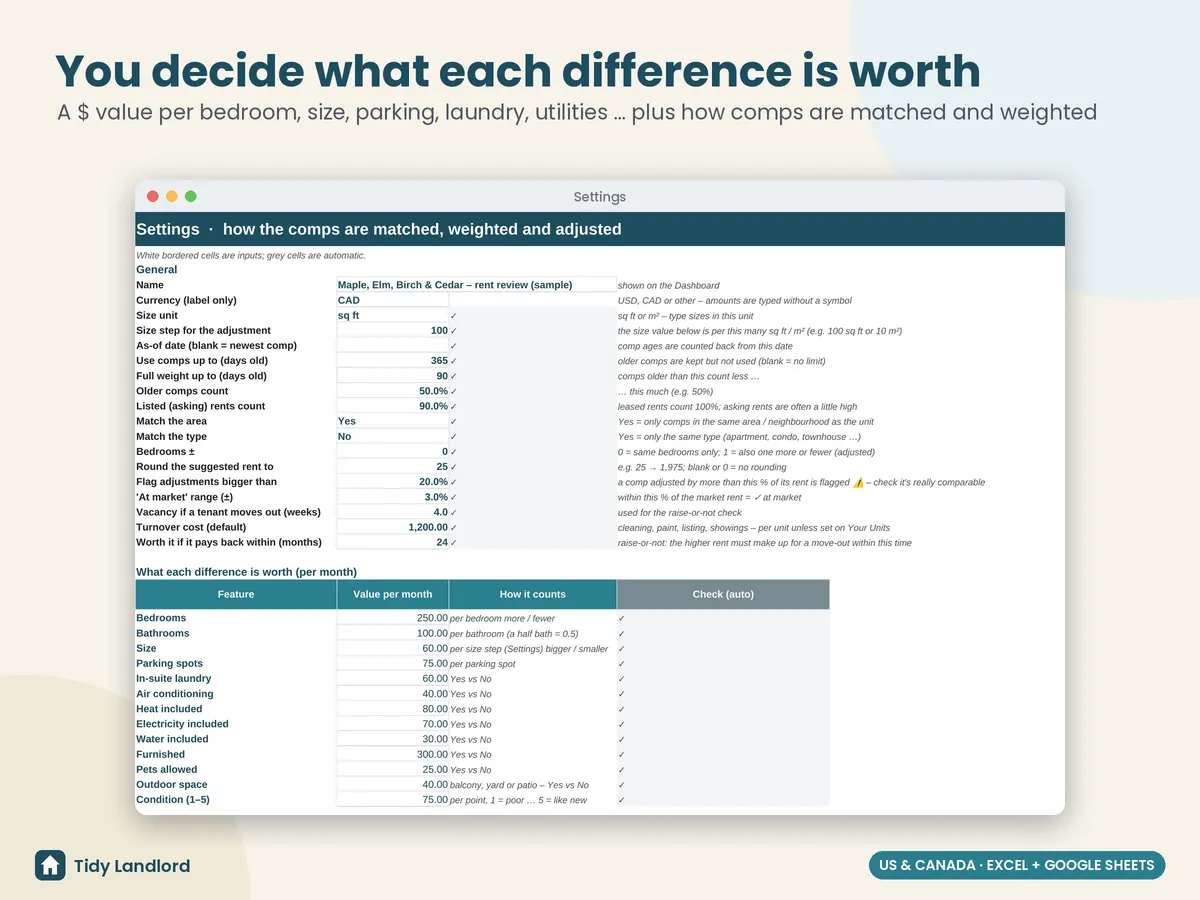
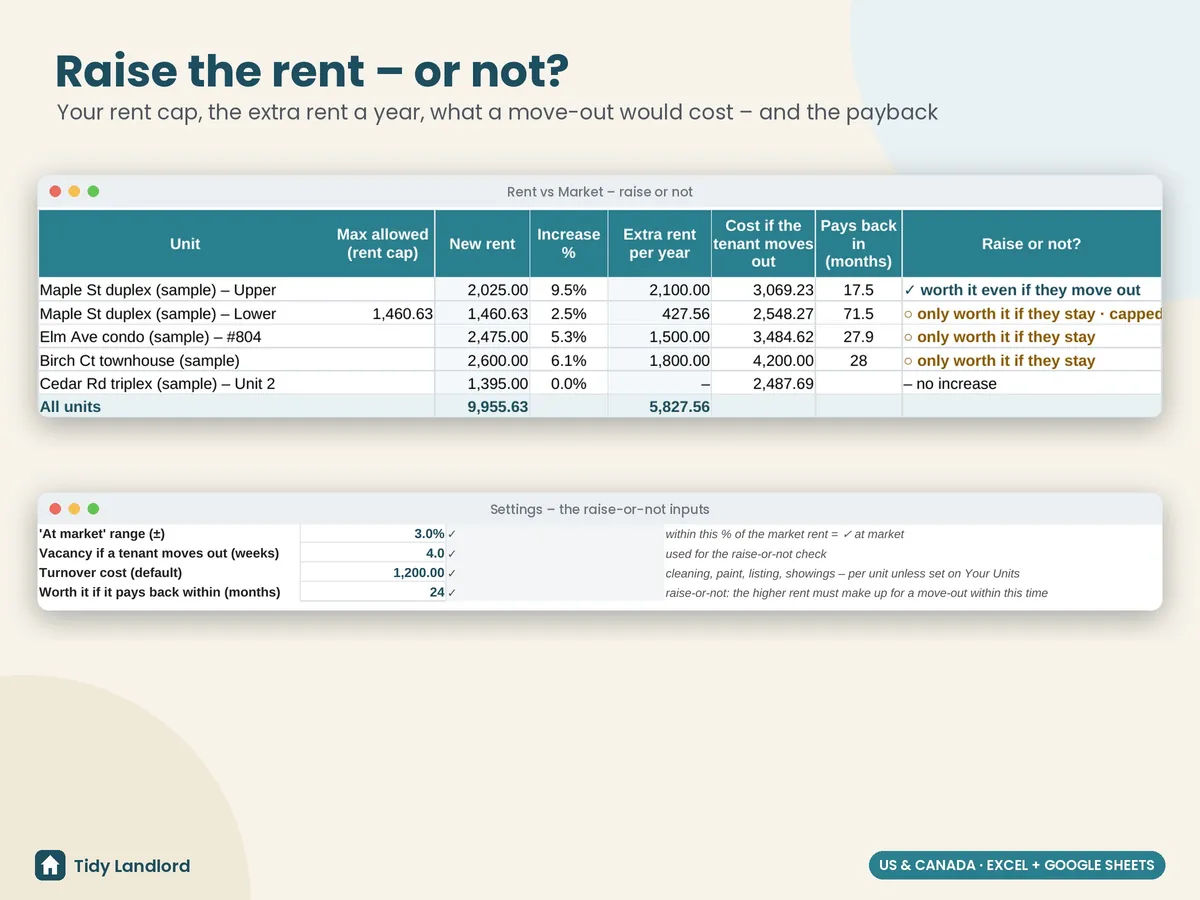
- Settings for what each difference is worth per month (per bedroom, per bathroom, per 100 sq ft, per parking spot, for heat included …), how comps are matched (same area, same type, bedrooms ±), how old a comp can be, how much older comps and asking rents count, rounding, an adjustment warning level and the raise-or-not inputs (vacancy weeks, turnover cost, payback months)
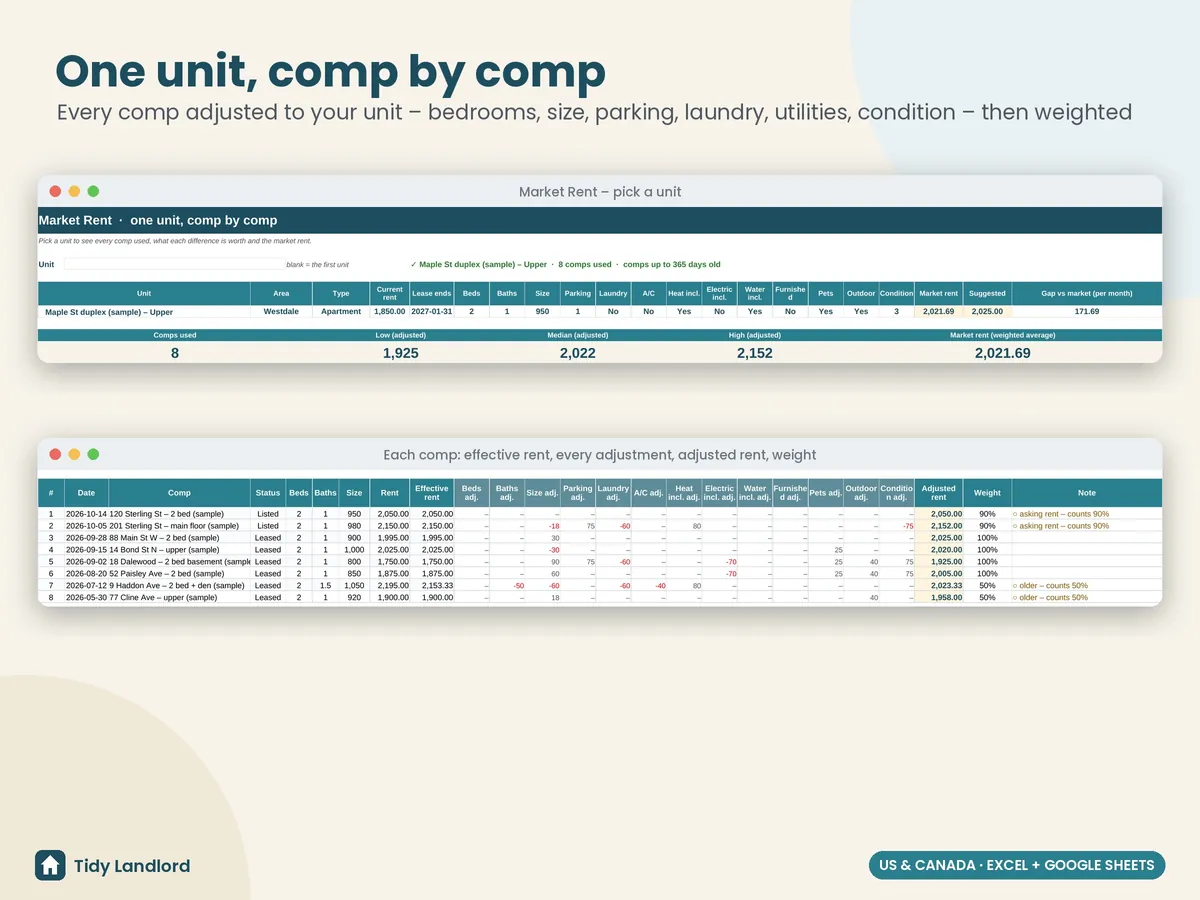
- Market rent: pick one unit and see every comp used, with effective rent, each adjustment, the adjusted rent and its weight, and the low, median, high and weighted market rent, so you can see exactly where the number comes from. Comps adjusted by a lot are flagged so you can check they really are comparable
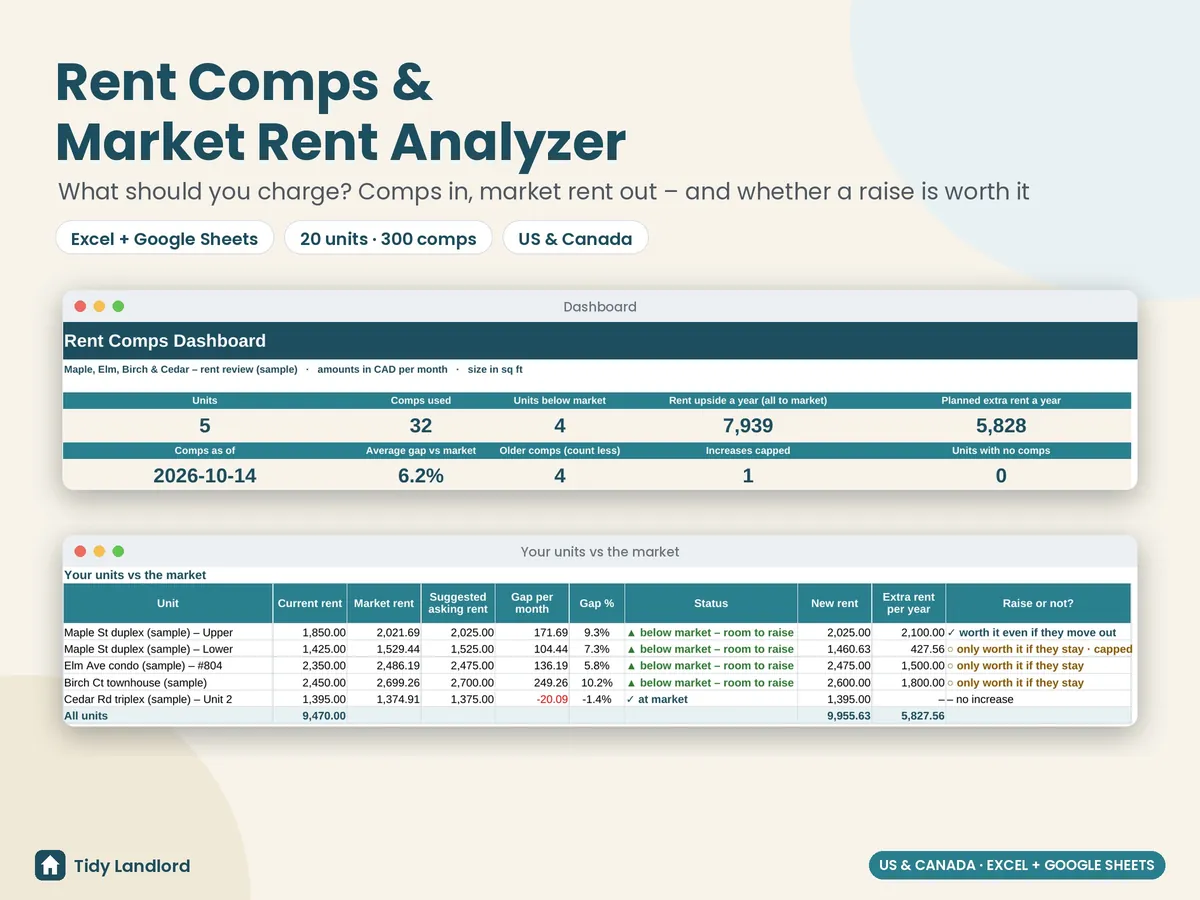
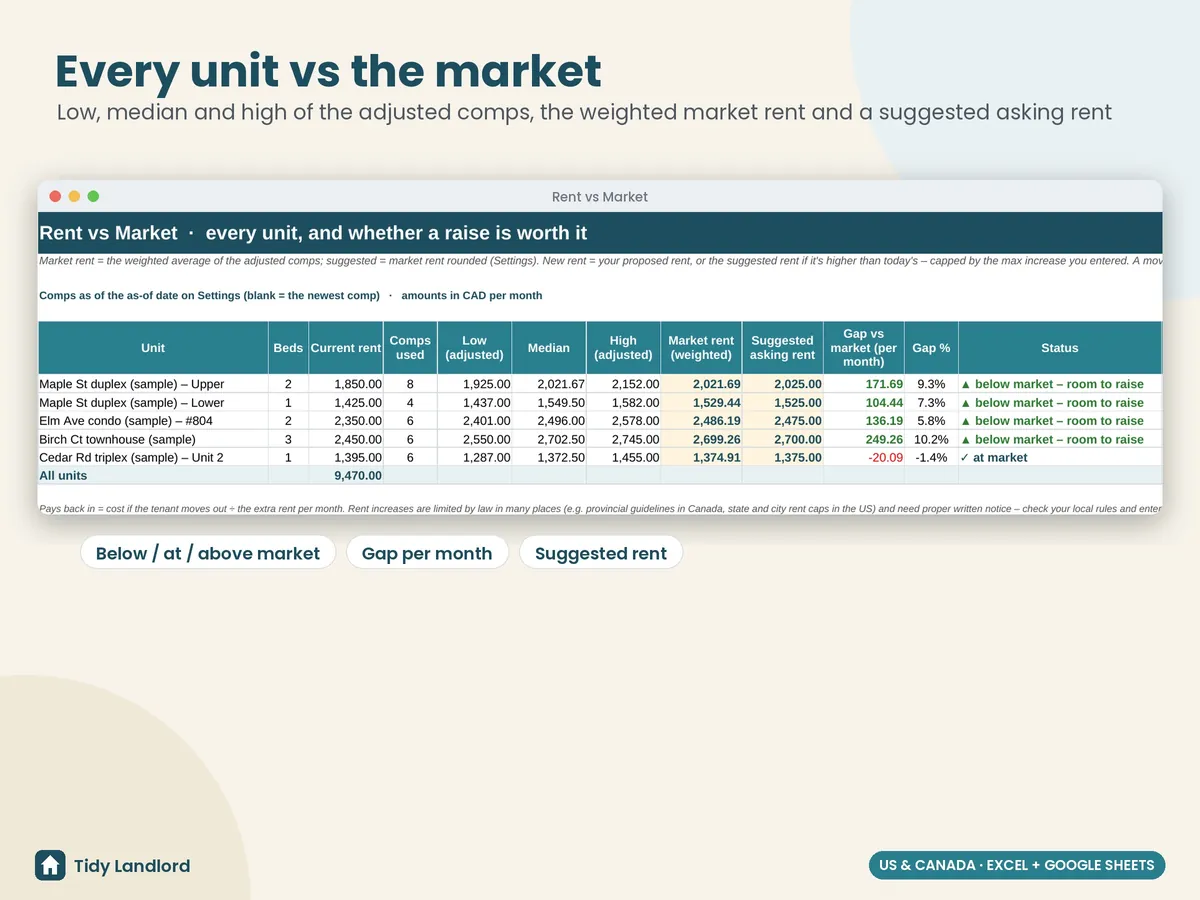
- Rent vs market for every unit: comps used, low / median / high of the adjusted comps, the market rent, a suggested asking rent, the gap per month and in %, and a status (below market – room to raise, at market, above market)
- A raise-or-not check: the new rent (your proposal or the suggested rent, capped by your max increase), the increase %, the extra rent a year, what it would cost if the tenant moved out and how many months the raise takes to pay that back: “worth it even if they move out”, “only worth it if they stay” or “no increase”
- A dashboard with units, comps used, units below market, the rent upside a year, the planned extra rent, comps as of, the average gap, increases capped and units with no comps; a table of every unit, the market by bedroom count, and two charts
- Check columns that flag missing dates, bad statuses, fractional bedrooms, text in number cells, concessions bigger than the lease and duplicate units; the dashboard counts them for you
- A Start Here guide in plain English, with how every number is worked out, to set up in about 20–30 minutes
Details
- How the numbers work: effective rent = rent − concession ÷ lease months; adjusted rent = the comp's effective rent + (your unit − the comp) × the value you set, for every feature; market rent = the weighted average of the adjusted rents of the matching comps (leased and recent comps count fully, asking rents and older comps count less); suggested rent = market rent rounded to your step; cost if the tenant moves out = rent lost for the vacancy weeks + the turnover cost; payback = that cost ÷ the extra rent per month
- Up to 20 of your units and 300 comps; any currency label and sq ft or m²
- Long-term rentals; one row per unit and per comp
- Excel 2010+ and Google Sheets, no macros, no add-ons, no subscription
- Tested formula by formula against an independent model (matching on and off, missing sizes and conditions, m², concessions, rent caps, vacant units, more than 40 comps for one unit, cleared data and edge cases), in LibreOffice and live in Google Sheets
- Not an appraisal: the result is only as good as the comps and the values you enter
Screenshots
How it works
- Buy on Etsy and download the .xlsx file.
- Open it in Excel, or upload it to Google Drive and choose File → Save as Google Sheets.
- Delete the clearly marked sample rows, enter your units, add the comps you find (10–20 per unit type is ideal) and set the value of each feature for your market.
Want real numbers for the move-out risk? The Rental Vacancy, Turnover & Leasing Tracker logs every turnover to show your actual days vacant, lost rent and turnover costs, and which listing sources fill your units.
Free tool: Rent increase calculator
This is an estimating tool, not an appraisal and not legal, financial or tax advice. A market rent from comps is only as good as the comps and the values you give each feature, and real rents depend on timing and demand. Rent increases are limited by law in many places (provincial guidelines and rent control in Canada, state and city rent caps in the US), need written notice in the right form and timing, and some units are exempt; the max increase % in this workbook is only what you type. Fair-housing and human-rights rules apply to how you advertise and set rents. Please check the rules where your rental is, or ask a professional, before you act on any number. It was designed with the help of AI tools, then reviewed and tested before release.